Best Channel Manager Software for Small Hotels in India
Small hotels lose real revenue to double bookings and manual rate updates across five different OTA dashboards. This guide breaks down what a channel manager actually does, why even a 10-room property needs one, and how to tell a real-time sync tool from one that just looks good in a sales pitch. Includes a comparison table of standalone channel managers vs. full hospitality management systems, OTA-by-OTA relevance for Indian hotels, and a pre-signup checklist.
Table of contents

If you run a small hotel in India, you already know the drill. A guest books a room on MakeMyTrip. Ten minutes later, someone books the same room on Booking.com because your front desk hadn't updated availability yet. Now you're on the phone apologizing, offering an upgrade, or worse, turning a guest away at check-in.
This isn't bad luck. It's what happens when you manage inventory across five OTAs by hand. And it's exactly the problem a channel manager exists to solve.
In this guide, we'll walk through what channel manager software actually does, why small hotels in India need one even at 10 or 15 rooms, and how to pick the right one without getting lost in a features list built for hotel chains you'll never resemble.
Quick Comparison: What to Look For
Before we get into the detail, here's the short version. Use this table to sanity-check any provider you're evaluating.
| What to Check | Why It Matters | Red Flag |
|---|---|---|
| Sync speed | Prevents double bookings | Updates every 15-30 min instead of real time |
| Indian OTA coverage | Most bookings come from MakeMyTrip, Goibibo, Agoda | Only supports international OTAs |
| Bundled with PMS | One dashboard instead of five logins | Sold as a standalone tool with no PMS option |
| Onboarding time | Small hotels can't afford weeks of setup | Multi-week onboarding with a project manager |
| Pricing model | Should match your room count | Flat enterprise pricing built for 200+ rooms |
| Support | Someone to call during a fully booked weekend | Support only via email ticket, no phone or chat |
What Is a Channel Manager, Really?
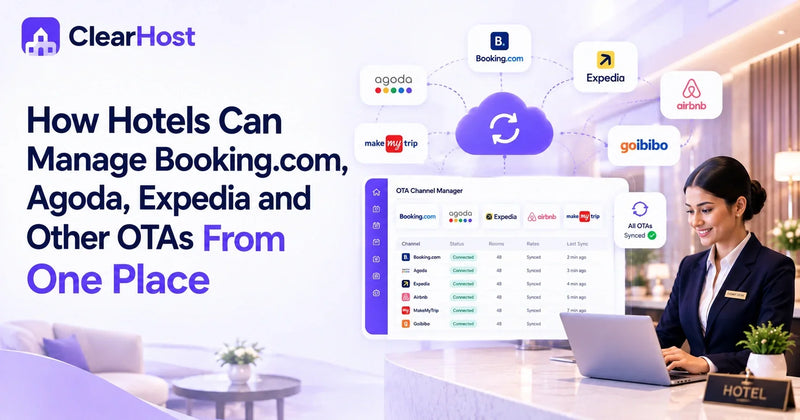
A channel manager is software that connects your hotel's room inventory to every OTA you sell on: MakeMyTrip, Goibibo, Booking.com, Agoda, Expedia, Airbnb, and whatever else you've listed on. Instead of logging into each platform separately to update rates and availability, you make one change in the channel manager and it pushes out everywhere, usually within seconds.
That's the whole pitch. But the reason it matters isn't the convenience. It's what happens when you don't have one.
Manual updates mean lag. Lag means overbookings. Overbookings mean refunds, angry reviews, and guests you'll never see again. For a hotel running on thin margins, one bad review from a double-booked room can undo weeks of good ones.
Most standalone channel managers just handle distribution. The better ones are part of a broader hotel property management system, so your front desk, housekeeping, and channel sync all live in the same place instead of three different logins.
Why Small Hotels Can't Just "Wing It" Anymore
There's a common assumption that channel managers are for big properties with hundreds of rooms. It's backwards. Chains have entire revenue teams. A 12-room boutique property in Udaipur or a homestay in Coorg usually has an owner or one manager doing everything, which is exactly why the manual approach breaks down faster there.
A few numbers worth sitting with: independent hotels in India routinely lose 15 to 25% of room revenue to OTA commissions alone, before counting the hours spent reconciling calendars across platforms every single day. That's real money and real time, disappearing quietly, month after month.
Small hotels also tend to list on more OTAs relative to their size, not fewer, because they need every booking channel they can get. More channels without automation means more room for error, not less.
What to Actually Look For
Not every channel manager is built the same, and a lot of the marketing around them sounds identical from the outside. Here's what separates the ones worth paying for from the ones that just look good in a sales deck.
Real-Time, Two-Way Sync
This is non-negotiable. Some tools sync every 15 to 30 minutes, which sounds fine until a room sells out on two platforms in that window. Look for software that pushes updates instantly, not on a batch schedule.
Number of OTA Integrations
Check that it connects to the platforms your guests actually use. In India, that usually means the domestic OTAs alongside the global names.
| OTA | Type | Relevance for Indian Small Hotels |
|---|---|---|
| MakeMyTrip | Domestic | High, especially for leisure and business travel within India |
| Goibibo | Domestic | High, strong for budget and mid-range properties |
| Booking.com | Global | High, major source of international guests |
| Agoda | Global (Asia-focused) | High, strong in leisure destinations like Goa and Kerala |
| Airbnb | Global | Medium to high for homestays, villas, and boutique stays |
| Expedia | Global | Medium, useful for international and corporate travelers |
A channel manager that only supports international OTAs is missing half the market for most Indian properties.
It Should Be Part of a Bigger System
A channel manager that lives on its own, disconnected from your front desk and reservations, still leaves you juggling tools. The stronger option is hospitality management software where the channel manager, PMS, and booking engine share one dashboard and one dataset. Change a rate once, and it's reflected at the front desk, on your booking engine, and across every OTA at the same time.
Ease of Setup
Small hotels don't have IT departments. If onboarding takes three weeks and a project manager, it's the wrong tool for a 15-room property. Look for providers that can get you live within a day, with actual human support during setup rather than a help-center article.
Pricing That Matches Your Size
Room-count-based pricing is fairer for small hotels than flat enterprise rates built for 200-room properties. Ask directly what the plan costs at your room count, and whether there are setup fees hiding behind the "custom pricing" quote.
Reporting You'll Actually Use
Occupancy, ADR, and channel-wise performance shouldn't require exporting spreadsheets. A decent dashboard should tell you, in plain language, where your bookings are coming from and which channel is quietly costing you the most in commission.
Channel Manager vs Full Hospitality Management System
Here's where a lot of hotel owners get stuck. Do you buy a standalone channel manager, or a full hotel property management system that includes one?
A standalone tool is cheaper upfront and does one job well. But it also means you're still running separate software for reservations, front desk, and guest billing, and none of those systems necessarily talk to each other. You end up back where you started: five logins, five sources of truth, and a front desk team copying numbers between screens.
A combined system costs more to start but removes the coordination tax entirely. When your channel manager, PMS, and booking engine are the same product, a rate change or a walk-in booking updates everywhere automatically. For most small and mid-sized hotels, that's worth more than the discount on a standalone tool, because the real cost was never the subscription fee. It was the hours lost reconciling five calendars by hand.
This is also where the distinction between buying "software" and working with a hospitality management company matters. Software you install and figure out on your own. A company gives you an onboarding specialist, ongoing support, and someone to call when a sync breaks at 11pm during peak season.
| Standalone Channel Manager | Full Hospitality Management System | |
|---|---|---|
| Upfront cost | Lower | Slightly higher |
| Front desk integration | Separate tool | Built in, same dashboard |
| Rate changes | Update channel manager only | Updates PMS, booking engine, and OTAs at once |
| Reservations and billing | Handled elsewhere | Handled in the same system |
| Setup effort | One tool to learn | One tool covers most daily tasks |
| Best for | Hotels happy running multiple systems | Hotels that want one login for everything |
What Good Channel Manager Software Looks Like in Practice
A rate change should take one action, not five. You update the price for a Deluxe Room once, and it pushes to Booking.com, MakeMyTrip, Agoda, Airbnb, and every other connected channel within a second or two, with a visible sync log so you're not left guessing whether it actually went through.
Overbookings should trend toward zero, not "rare." Some properties running on a proper channel manager go entire seasons without a single double-booking, which used to be a monthly headache before they switched off manual updates.
And the front desk shouldn't need a separate tab open for OTA management. Check-ins, housekeeping status, and channel sync living on the same screen is the difference between hospitality management services that genuinely reduce your workload and ones that just add another login to your day.
A Quick Checklist Before You Sign Up
Before committing to any provider, it helps to run through a short list rather than trusting the sales call alone:
- Does it sync in real time, or on a delay?
- Does it support the Indian OTAs your guests actually book through, not just the international ones?
- Is it bundled with a PMS, or will you still be juggling separate tools?
- What does onboarding actually involve, and how long does it take?
- Is pricing based on your room count, or a flat fee built for a much bigger property?
- Is there a free trial, or do you have to commit before testing it against your actual inventory?
- Who do you call when something breaks during a fully booked weekend?
If a provider can't answer these clearly, that's worth noting before you sign anything.
The Bottom Line
Small hotels don't need enterprise software built for 500-room chains. They need something that gets rid of double bookings, saves a few hours a day at the front desk, and doesn't require a dedicated IT hire to run. A channel manager is the starting point, but the real gain comes from pairing it with a full property management system so every part of your operation, from front desk to distribution to guest billing, runs off the same data.
The hotels that make this switch usually describe the same feeling afterward: fewer fires to put out, fewer spreadsheets, and finally being able to see what's actually happening across their property without logging into five different dashboards to find out.
Frequently Asked Questions
1. What's the difference between a channel manager and a booking engine?
A channel manager pushes your rates and availability out to third-party OTAs like Booking.com and MakeMyTrip. A booking engine sits on your own website and lets guests book directly with you, without an OTA or its commission in between. Most hotels need both, ideally working off the same inventory.
2. How much does channel manager software cost for a small hotel in India?
Pricing varies, but for small independent properties, expect plans priced by room count rather than flat enterprise fees. Many providers offer a free trial with no credit card required, so you can test real-time sync against your own inventory before committing to a plan.
3. Can a channel manager really prevent all overbookings?
It can get you very close to zero. Overbookings happen when there's a lag between a booking coming in and your availability updating everywhere else. A channel manager with true real-time, two-way sync closes that gap to a matter of seconds, which is where most double bookings used to slip through.
4. Do I need a channel manager if I only list on two or three OTAs?
Yes, arguably more so. With fewer channels, manual updates might seem manageable at first, but the moment you add a fourth platform or start scaling, the risk of an overbooked room grows fast. It's easier to build the right habit early than to migrate under pressure during a busy season.
5. How long does it take to set up a channel manager for a hotel that's already listed on OTAs?
With a good onboarding process, most small hotels can be fully connected and syncing live within a day, including migrating existing rates, room types, and reservations from your current system. Ask any provider upfront how long onboarding typically takes and whether a specialist handles it with you.