
Give your team back the hours the busywork steals.
Re-keying bookings, updating OTAs, sending the same messages, tallying the night audit — ClearHost runs the repetitive work on autopilot, so your staff spend their day on guests, not admin.
15+
staff hours saved a week
80%
of routine tasks automated
30s
to check a guest in
₹0
spent on manual night audit
Half the day used to go on updating OTAs and sending the same messages. Now it runs itself, the desk and housekeeping finally see the same thing, and my team actually has time for guests again.
Hotel Operation Management Software That Automates Your Entire Property
Running a hotel means juggling front desk check-ins, housekeeping schedules, guest requests, billing, and reporting — often all at once. ClearHost hotel operation management software brings every one of these moving parts onto a single screen, so your team spends less time switching between spreadsheets, registers, and phone calls, and more time looking after guests.
Whether you run a boutique property, a resort, or a multi-location hotel group, ClearHost hotel operating system is built to remove the daily friction of manual hotel management and replace it with automation that actually works the way hoteliers work.
Why Your Hotel Needs a Modern Hotel Operating System
Manual operations create hidden costs that most hoteliers only notice when things go wrong. These are the pain points ClearHost is built to solve.
Double bookings and OTA mismatches
Updating multiple booking channels by hand means inventory drifts out of sync — and two guests end up holding the same room.
Delayed housekeeping updates
Room status isn't shared in real time, so the desk hands out a room that hasn't been cleaned — or holds one that was ready an hour ago.
Billing errors
Taxes, discounts and room charges worked out by hand invite the kind of mistake a guest finds on their final folio.
No visibility for owners
You can't check occupancy or revenue without calling the front desk and waiting for someone to add it up.
Time lost on reporting
Daily and monthly MIS reports get rebuilt by hand every time, from numbers scattered across registers and spreadsheets.
Staff dependency
Operations stall the moment one key staff member is unavailable, because the process lives in their head.
Key Features of ClearHost Hotel Operation Management Software
Automating these processes doesn't just save time — it directly protects your revenue and your guest experience.
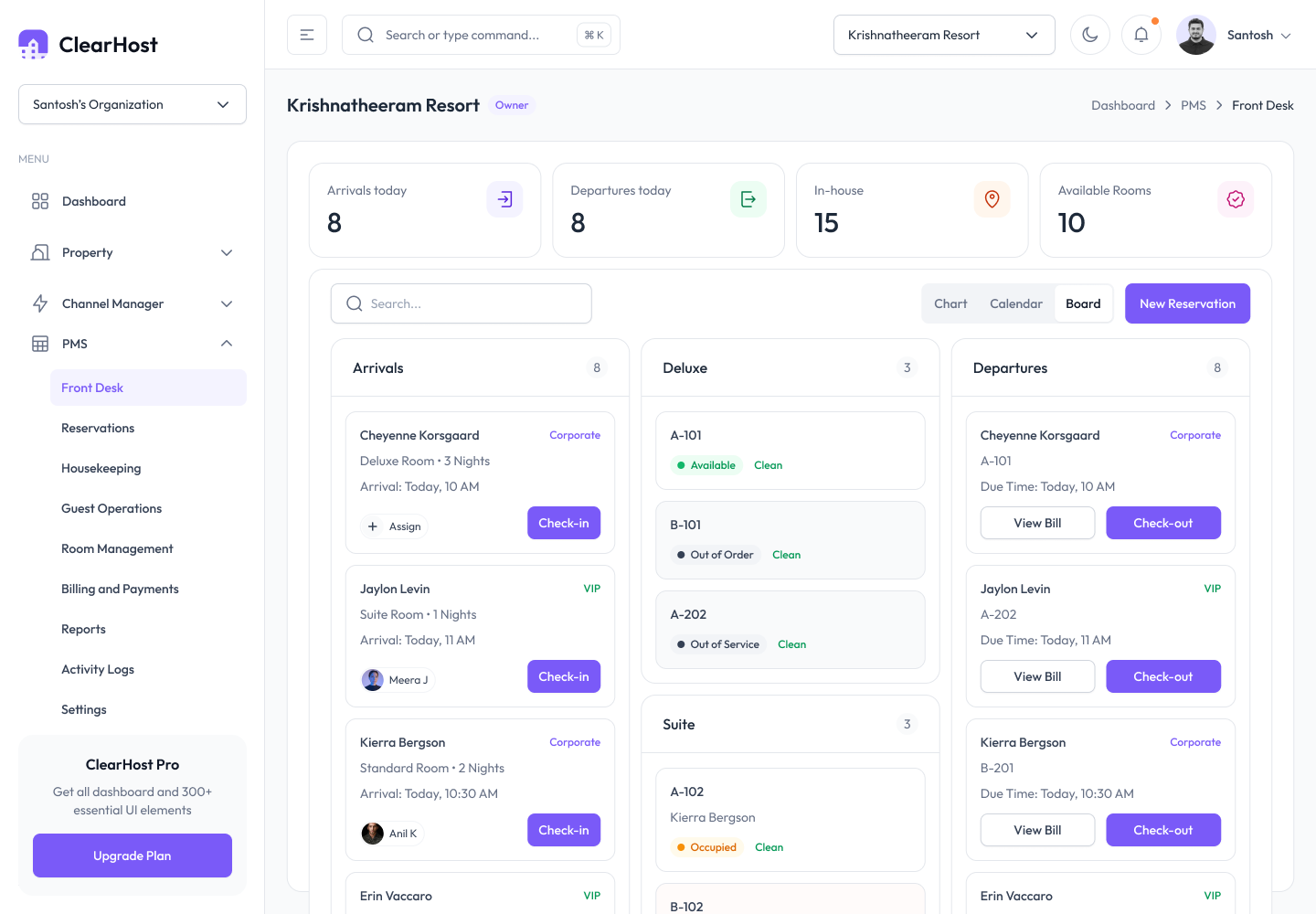
Centralized front desk and reservations
Every booking — OTA, phone, walk-in or your own website — lands in one live calendar, so the desk always knows what is free and who is arriving.
- Real-time room availability across all booking sources
- One-click check-in and check-out
- Automatic sync with OTAs to prevent double bookings
- Guest profile history for repeat guests
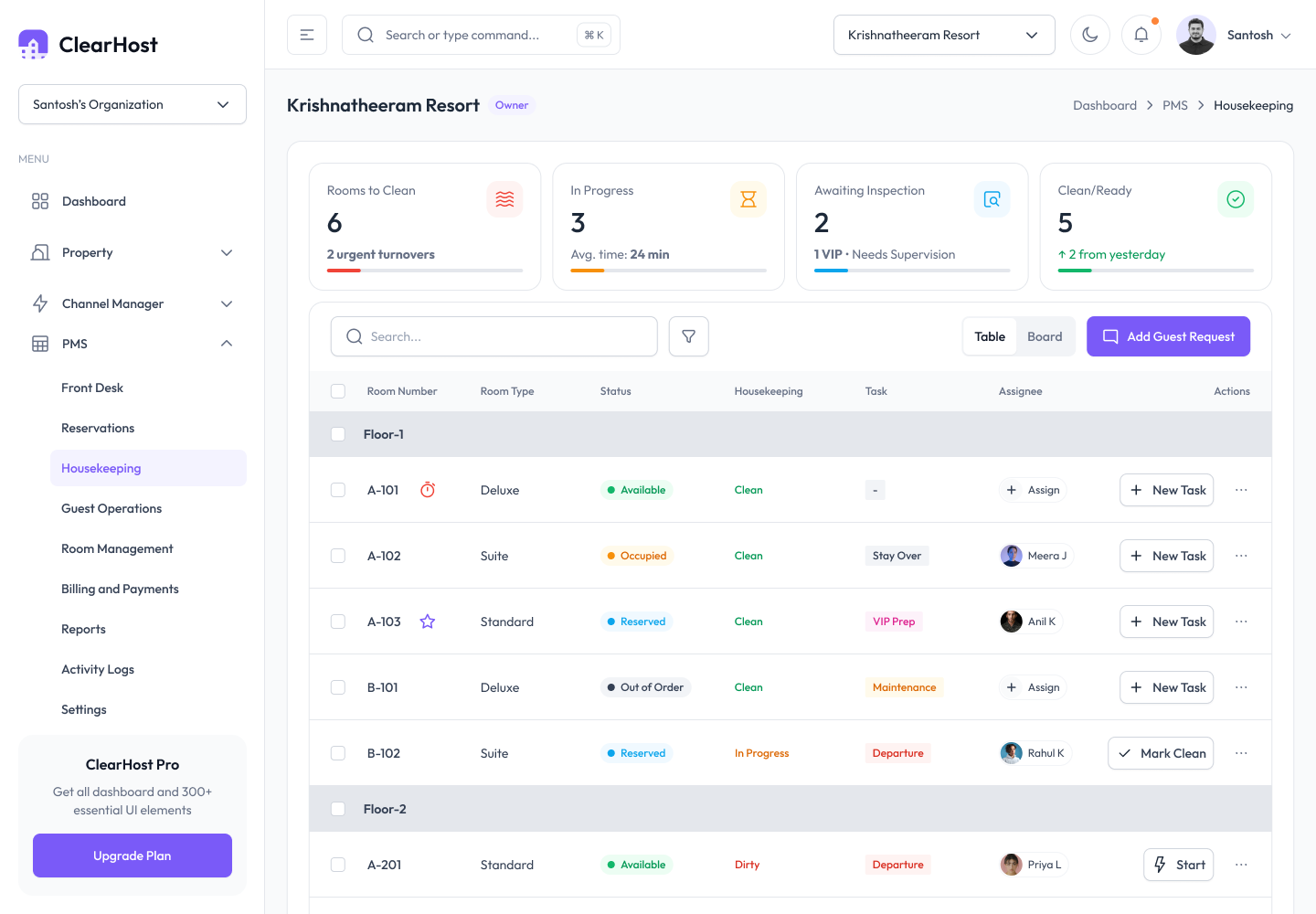
Housekeeping automation that keeps rooms moving
Room status changes the moment the work is done, so the desk never sells a room that isn't ready and housekeeping never chases a paper list.
- Live room status — clean, dirty, inspected, out of order
- Task assignment to housekeeping staff from the system
- Faster turnaround between checkout and the next check-in
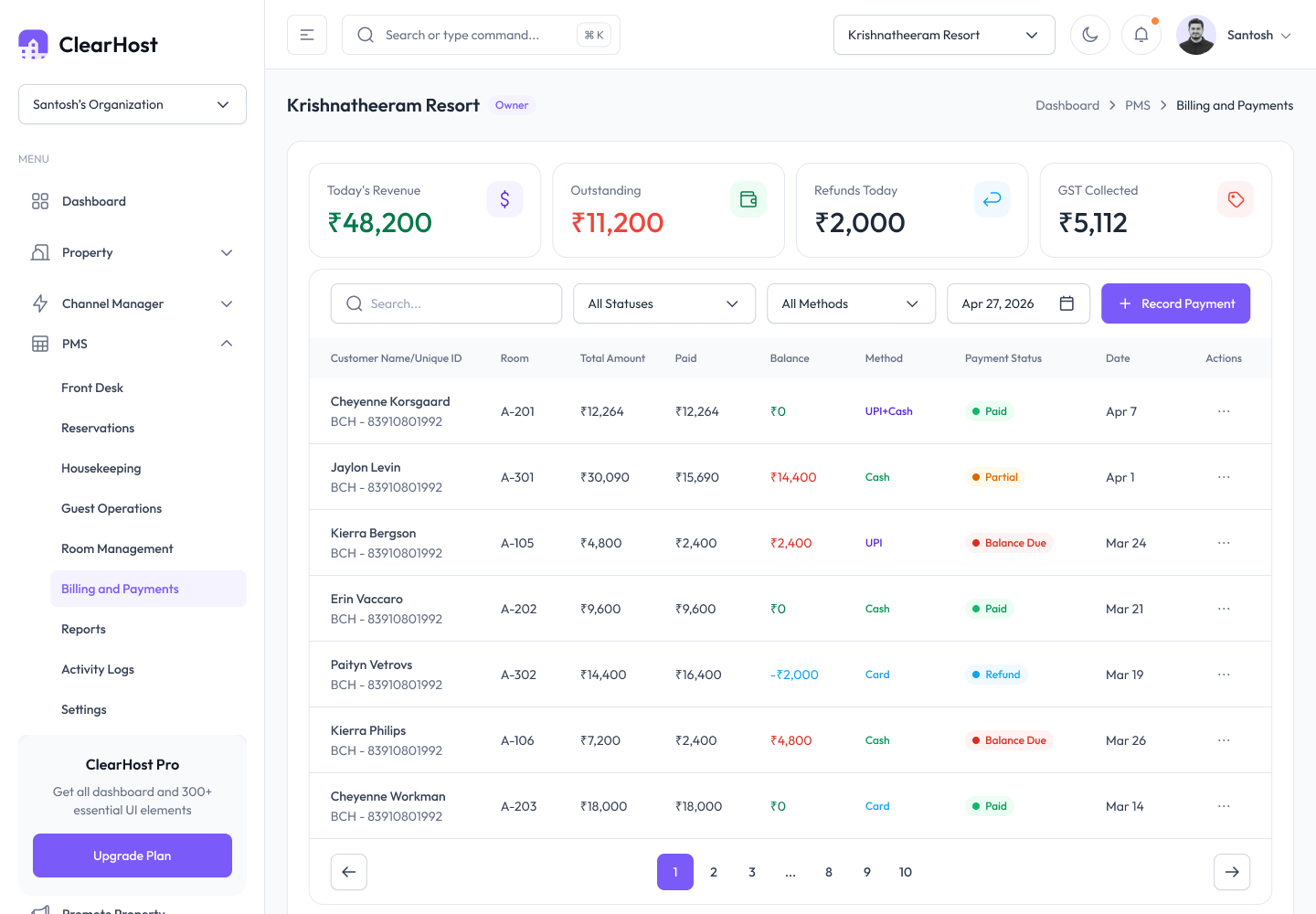
Smart billing and invoicing, without the arithmetic
Folios, taxes and discounts are calculated for you, and the invoice is ready the moment the guest is — no spreadsheets, no recalculating at the desk.
- Auto-generated GST-compliant invoices
- Split billing, multiple payment modes and folio management
- Error-free tax and discount calculations
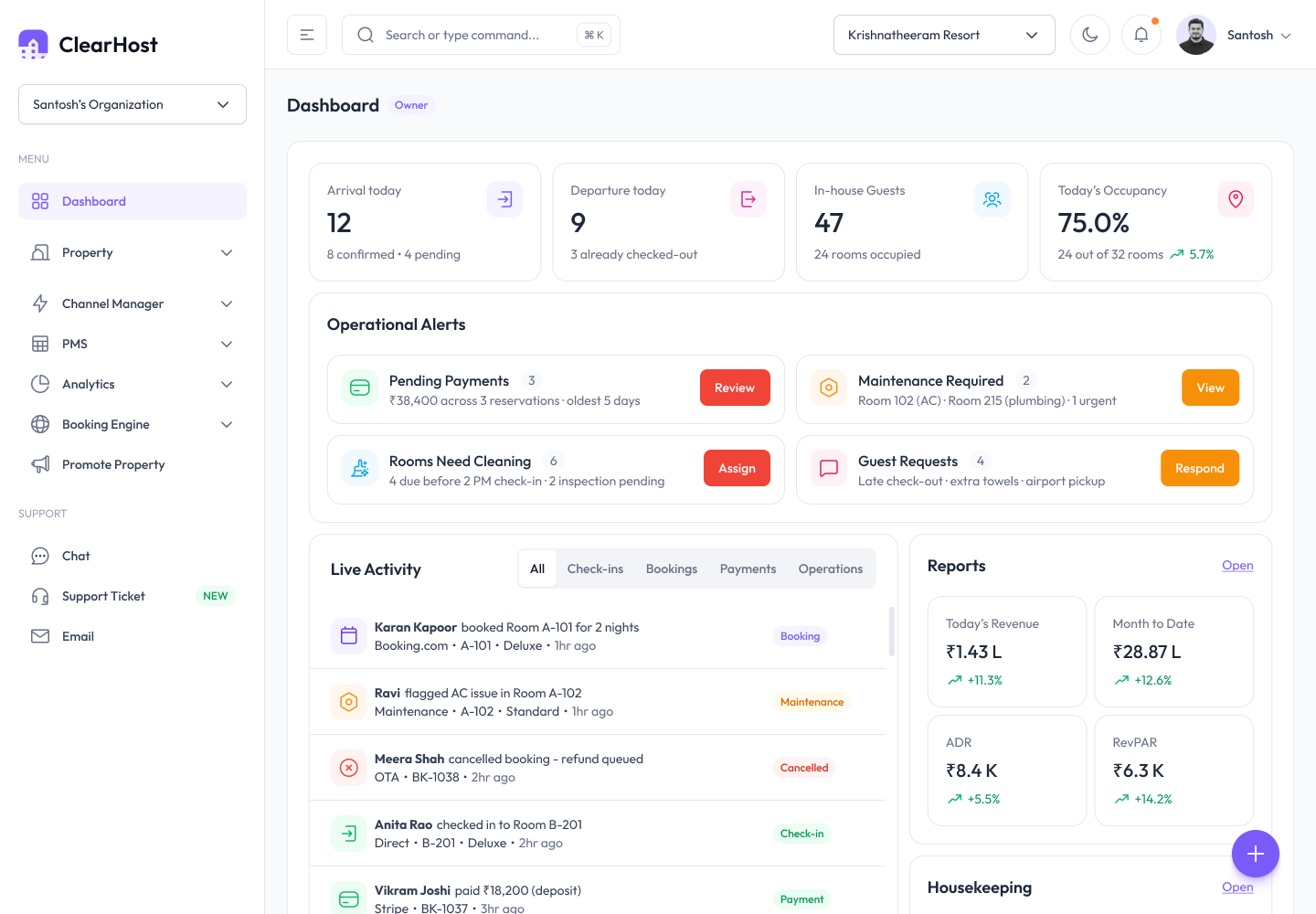
Distribution, reporting and every property you own
The rest of the platform runs quietly in the background — channels stay in sync, the numbers write themselves, and one login covers every location.
Channel manager integration
Sync rates and inventory across OTAs like MakeMyTrip, Booking.com and Goibibo, and avoid overbooking with real-time updates.
Reports and analytics
Daily occupancy, revenue and ADR reports generate themselves. Check performance from any device and decide on data instead of guesswork.
Multi-property management
Manage several properties from a single login and compare performance across locations in real time.
Benefits of Automating Hotel Operations with ClearHost
- Save staff hours daily by removing manual, repetitive admin work
- Reduce human errors in billing, room status and reservations
- Improve guest experience with faster check-in and check-out, and fewer mistakes
- Get real-time control over your property from your phone or laptop
- Scale easily — add rooms or properties without adding operational chaos
- Lower operational costs by needing fewer manual touchpoints per booking
Automating in days, not months
-
1
Map your workflow
We bring in your rooms, rates and bookings and mirror the way your team already works — nothing to rebuild.
-
2
Switch on the automations
Turn on channel sync, guest messaging, night audit and reports — one at a time or all at once.
-
3
Watch the busywork disappear
Your team runs the property from one live screen while the routine work quietly takes care of itself.
Who Uses ClearHost Hotel Operating System?
From a six-room guesthouse to a group of twenty properties, the same system scales to fit the way you run.
The modules behind it
Everything you need is built in — turn on what you need, when you need it.
Hotel operations FAQs
See how much time you'd get back
A quick, personalised walkthrough — or start a 30-day free trial. No credit card, cancel anytime.