10 Features to Look for in Property Management Software for Hotels
Discover the 10 essential features to look for in property management software for hotels. Learn how the right hotel PMS can simplify reservations, front desk operations, housekeeping, billing, OTA synchronization, reporting, mobile management, and integrations.
Table of contents

Buying property management software for hotels is one of those decisions that looks simple from the outside and gets messy the moment you start comparing vendors. Every provider claims to be "all-in-one." Every demo looks polished. And every sales rep will tell you their platform is the one your team actually needs.
The problem is that most hotel PMS software does the basics reasonably well. Reservations get booked, rooms get assigned, guests get checked in. What separates a system that pays for itself from one that quietly frustrates your staff for the next three years comes down to a smaller set of features, the ones that touch daily operations, revenue, and guest experience at the same time.
This guide skips the "what is a PMS" explainer and goes straight to what hotel owners and general managers should actually be evaluating before they sign a contract. If you're comparing a hotel property management system for a single independent property or a small group, these are the ten features worth putting on your checklist.
1. Centralized Reservation Management
Every booking your property takes, whether it comes from the front desk, your website, a travel agent, or an OTA, needs to land in one place. That sounds obvious, but a surprising number of legacy systems still treat reservations as separate silos that require manual reconciliation.
A modern hotel PMS should give you a single reservation calendar that updates in real time regardless of where the booking originated. This matters most during peak season, when double bookings or missed reservations cost you both revenue and guest trust. Look for a system that lets front desk staff view, modify, and cancel reservations without switching between screens or tools, and that keeps a clear history of changes so nobody has to guess who moved a booking or why. This is also the feature that determines how well everything else on this list works, since housekeeping status, billing, and channel sync all pull from the same reservation data underneath. ClearHost's property management system is built around this single reservation view, with front desk, housekeeping, and billing reading from the same live data rather than syncing between separate modules.
2. Front Desk & Check-In/Check-Out Management
Front desk efficiency is where guests form their first and last impression of your property. A PMS with a clunky check-in flow slows down your staff during exactly the moments when speed matters most: a full lobby at 3 PM, or a line of guests trying to check out before a 10 AM checkout deadline.
Look for software that supports quick check-in with minimal clicks, digital registration cards, ID scanning, and room assignment that accounts for housekeeping status automatically. Some platforms now support self-service kiosks or mobile check-in, which is worth considering if your property serves a lot of business travelers who want to skip the desk entirely. The best systems also flag VIP guests, special requests, and loyalty status right at check-in, so your team isn't digging through notes to figure out who needs an early check-in or a room away from the elevator.
3. Room & Inventory Management
Room inventory sounds straightforward until you're managing room types, rate plans, blocked rooms for maintenance, and group bookings all at once. A hotel property management system needs to give you a real-time, visual picture of room availability and status, not a spreadsheet dressed up as software.
This is also where room type flexibility matters. If you run connecting rooms, suites with variable configurations, or seasonal rate changes, your PMS needs to handle that without requiring a workaround. Ask vendors how their system handles overbooking protection and whether it automatically adjusts availability across all your sales channels when a room is blocked or taken out of service. Weak inventory management is one of the most common reasons hotels end up double-booked during their busiest weekends, and it's usually not a channel manager problem so much as an inventory logic problem underneath it.
4. Housekeeping Management
Housekeeping is often treated as an afterthought in PMS conversations, but it's one of the areas where the wrong software creates the most daily friction. Front desk staff need to know instantly which rooms are clean, dirty, or out of order. Housekeeping staff need a clear task list without chasing down a manager for updates.
Good hotel PMS software includes a housekeeping dashboard that syncs directly with the reservation system, updating room status the moment a guest checks out or a room is marked ready. Some platforms extend this to mobile apps so housekeeping staff can update room status from a tablet or phone as they finish each room, instead of walking back to a shared terminal. If your property has ever had a guest checked into a room that wasn't actually clean, this is the feature that prevents it from happening again.
5. Automated Billing & Payments
Manual billing is slow, and it's also where small errors turn into disputed charges and awkward conversations at checkout. A hotel PMS should automate folio generation, apply taxes and fees correctly, and support split billing for group stays or corporate accounts without extra manual steps.
Payment processing integration matters just as much. Look for PMS software that supports secure card capture at booking, automatic pre-authorization, and PCI-compliant payment handling built into the platform rather than bolted on through a third party. Automated night audits are another feature worth confirming, since manual audits eat up staff hours and are prone to errors that compound over a billing cycle. The fewer manual touches between a guest's stay and their final invoice, the fewer disputes you'll deal with later.
6. Real-Time OTA & Channel Synchronization
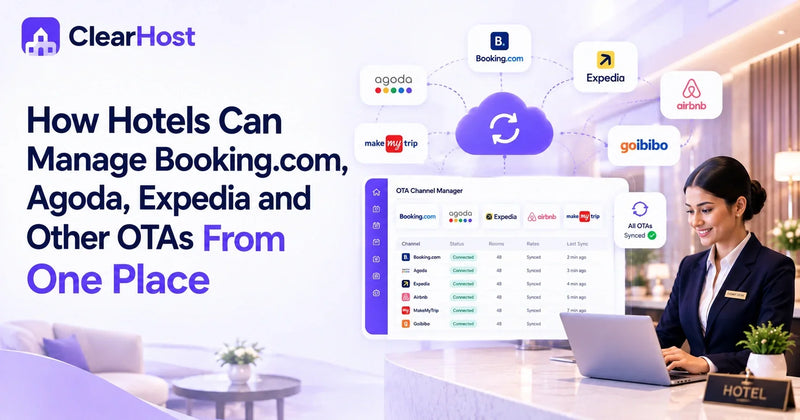
Your PMS needs to sync rates and availability across every OTA the moment something changes. A few minutes of delay between a booking on one channel and your inventory updating everywhere else is enough to cause an overbooking, and overbookings during peak season are one of the fastest ways to damage a guest's first impression before they've even checked in. This usually runs through a channel manager, either built into the PMS or connected as an integration, and it's worth confirming the sync runs both ways rather than just pulling bookings in.
During a demo, don't just ask whether channel sync exists. Ask how it behaves under pressure: what happens if two guests book the same room within seconds of each other on different platforms, and how quickly a manual rate change on your end reaches every connected OTA. We've covered channel management on its own in more depth in our guide to choosing a channel manager for hotels, since it's a big enough decision to deserve its own checklist.
7. Direct Booking Integration
OTAs bring volume, but they also take a commission on every reservation, often 15 to 20 percent. A PMS that connects cleanly to your hotel's website booking engine lets guests book directly at accurate, live pricing instead of routing more revenue through a third party. If you want a closer look at what makes a booking engine actually convert, we broke that down separately in our guide to hotel booking engines.
8. Hotel Reports & Analytics
You can't manage what you can't measure. A PMS should surface occupancy, ADR, RevPAR, and channel performance without forcing you to export raw data and build reports by hand. When comparing vendors, ask to see actual report screens rather than a feature list, and check whether you can customize date ranges and pull reports across properties if you run more than one.
9. Mobile Access for Hotel Managers
General managers aren't at a desk all day, and a PMS that only works from a fixed terminal slows down how fast you can approve a rate change, check occupancy off-site, or handle an escalated guest issue. For anyone overseeing more than one property, real mobile functionality, not just a stripped-down dashboard view, quickly becomes a daily necessity rather than a nice-to-have.
10. Integrations & Scalable Hotel Operations
Your PMS doesn't operate in isolation. It needs to connect with your point-of-sale system, revenue management tools, guest messaging platforms, accounting software, and potentially a customer relationship management system if you run loyalty programs or targeted marketing.
Before committing to a platform, ask what integrations are available out of the box versus what requires custom development. This matters even more as your operation grows, whether that means adding room types, plugging in a new payment gateway, or layering in tools like guest messaging and revenue management down the line. A PMS that only works well with the exact setup you have today can turn into a bottleneck the moment you need to add a module it wasn't built to support. ClearHost is built with an open integration approach specifically so hotels can add tools as they need them, without a rebuild or a platform switch each time.
Choosing the Right PMS for Your Property
There's no single "best" hotel property management system, because the right fit depends on your property size, your booking mix, and how much of your operation you plan to run through the software versus separate tools. An independent 20-room boutique hotel and a five-property regional group have different priorities, even if both are looking at the same ten features above.
A practical approach is to rank these features by what's actually costing you time or money today. If overbookings from slow OTA sync are your biggest headache, prioritize channel management and test it directly in a demo. If your front desk staff are drowning in manual billing, push vendors to show you their automated billing workflow with real numbers, not a slide. The features that matter most are the ones tied to your property's actual pain points, not the longest feature list on a comparison page.
FAQs
1. What is the most important feature in hotel PMS software?
There isn't one universal answer, since it depends on your property's biggest operational bottleneck. That said, centralized reservation management is usually the foundation, since inaccurate or delayed booking data creates problems across every other function, from housekeeping to billing to channel sync.
2. How much does hotel property management software typically cost?
Pricing varies widely based on property size, number of rooms, and which modules you need. Some vendors charge per room per month, others use flat monthly fees with tiered plans based on features. It's worth asking vendors for a breakdown of what's included in the base price versus what counts as an add-on, since channel management and payment processing are sometimes billed separately.
3. Can small independent hotels benefit from a full-featured PMS, or is that overkill?
Independent hotels often benefit the most from a solid PMS, since they don't have large teams to manually cover the gaps that come from disconnected systems. The key is choosing a platform with pricing and complexity that matches a smaller operation, rather than a system built primarily for large chains.
4. How long does it take to switch to a new hotel PMS?
Migration timelines depend on the complexity of your current setup and how much historical data needs to move over. A straightforward migration for a single property can take anywhere from a couple of weeks to a month, including staff training. Ask any vendor you're considering what their onboarding process looks like and whether they support data migration from your current system directly.
5. Does hotel PMS software integrate with existing tools like accounting software or a CRM?
Most modern PMS platforms support integrations with common accounting, CRM, and point-of-sale tools, though the depth of integration varies by vendor. Before signing a contract, get a specific list of confirmed integrations rather than a general statement that the system is "integration friendly."
Choosing a hotel PMS is easier when you know exactly which features matter for your property instead of comparing vendors on marketing copy alone. If you want to see how these features work together in practice, explore ClearHost's property management system or book a demo to walk through your specific setup with the team.