Group Accommodation Software for Hotels and Resorts: How to Manage Group Bookings and Room Blocks
Table of contents

Group accommodation software is a system that lets a hotel or resort reserve and bill many rooms under one booking, instead of handling each room as a separate reservation. It holds a block of rooms for a wedding, a company offsite or a tour group, keeps those rooms off sale on every other channel, tracks how many get booked before the cutoff date, and settles charges on one account or across individual guests.
Most independent properties have no trouble winning group business. The hard part is running it. A 25-room wedding block kept on a spreadsheet, with the rooming list arriving in pieces over WhatsApp and the same rooms still live on two OTAs, is how overbookings and billing arguments start. This guide explains how room blocks work, what group booking software for hotels should do, a practical workflow from enquiry to checkout, and how ClearHost handles group and corporate bookings inside its hotel property management system.
What is group accommodation software?
Group accommodation software is the part of a hotel's reservation system built for multi-room bookings. A normal booking ties one guest to one room for a set of dates. A group booking starts with a contract instead: a number of rooms by type, a negotiated rate, a cutoff date and payment terms. Individual guests are attached to that contract as they confirm.
You will also see it called a group reservation system, group booking management or room block management software. Some hotels run it as a standalone tool. More properties now prefer it inside the PMS, because a block that lives in a separate system is one more thing the front desk has to reconcile by hand.
How is a group reservation system different from a standard booking system?
|
Standard reservation |
Group reservation |
|
|---|---|---|
|
What is booked |
One room for one guest |
A block of rooms under one contract |
|
Rate |
Public, OTA or member rate |
Negotiated group rate, often with inclusions |
|
Inventory |
Sold until it runs out |
Held for the group until a release date |
|
Guest names |
Known at the time of booking |
Added later through a rooming list |
|
Billing |
One folio per stay |
Master account, individual folios or a split of both |
|
What you track |
Occupancy |
Pickup against the contracted block |
What counts as a group booking at a hotel or resort?
There is no fixed rule. Many hotels start treating a reservation as a group at around 8 to 10 rooms a night, and smaller properties often set the bar lower. A 20-room boutique hotel may handle five rooms for one family as a group, because those five rooms are a quarter of its inventory.
In India, group business tends to come from a few familiar sources, and each one needs something slightly different from your system.
|
Group type |
What they usually need |
|---|---|
|
Weddings and family functions |
Several room types, early check-in for the family, guest names that keep changing until the final week, and a link to event spaces |
|
Corporate offsites and conferences (MICE) |
Fixed dates, one invoice to the company for rooms, separate bills for personal extras, meeting space |
|
Travel agents and tour operators |
Seasonal allotments, net rates, quick release of rooms the agent cannot sell |
|
Pilgrimage, school and college groups |
Twin or triple sharing, tight budgets, meal plans, large arrivals on a single day |
|
Sports teams, film and production crews |
Long stays, last-minute changes, one person handling all billing |
What is a room block and how does it work?
A room block is a set number of rooms a hotel holds for one group, for agreed dates and at an agreed rate. The group's guests book into the block, either through a rooming list sent by the organiser or by booking themselves with a group code. Any rooms still empty on the cutoff date go back into general inventory.
The block protects both sides. The organiser knows the rooms will be there. The hotel gets volume it can plan staff and supplies around, plus contract terms that limit its loss if the group shrinks.
Courtesy block, guaranteed block and allotment: what is the difference?
The difference comes down to who carries the risk when rooms go unsold.
|
Block type |
Organiser's commitment |
Risk for the hotel |
Typical use |
|---|---|---|---|
|
Courtesy block |
None. Unbooked rooms are released at the cutoff date |
Higher, since rooms can sit empty until release |
Small weddings, family events |
|
Guaranteed (contracted) block |
Pays for an agreed share of the block, with attrition charges below that level |
Lower |
Conferences, corporate groups, large weddings |
|
Allotment |
Usually none. Rooms return to sale a set number of days before arrival |
Medium |
Travel agents and tour operators across a season |
Group booking terms your front desk should know
Pickup
Pickup is the number of rooms in the block that have actually been booked. A 30-room block with 18 rooms named has 60% pickup. Checking it week by week tells you early whether the group will fill or whether you should start talking about a smaller block.
Cutoff date (release date)
The cutoff date is when the hotel stops holding unbooked rooms for the group. It commonly falls three to six weeks before arrival, though every contract sets its own. After the cutoff, late guests from the group get rooms only if some are still free, and often not at the group rate.
Attrition
Attrition is the shortfall the contract allows before the organiser has to pay. If a contract allows 20% attrition on a 50-room block, the organiser pays for at least 40 rooms whether or not the guests turn up. The cutoff ends the hold, while attrition decides the money. They are separate clauses, and a group can meet one and still fall short on the other.
Rooming list
The rooming list names who stays in which room, on which dates, and who pays for what. In most group bookings it is also the most edited document in the whole process.
Master folio
A master folio (or master account) collects the charges the organiser has agreed to cover, usually room and tax and sometimes meals. Each guest's personal extras go on their own folio. When this split is set up badly, checkout turns slow and argumentative.
Why do group bookings go wrong when they are managed manually?
Most group booking problems are either inventory problems or information problems, and both get worse with each extra tool in the chain. These are the patterns that show up again and again at independent hotels and resorts:
-
The block is written in a register or spreadsheet, but the same rooms are still open on MakeMyTrip or Booking.com. One OTA sale later, you have two guests and one room.
-
The rooming list exists in four versions: an email, a WhatsApp forward, a printout at the desk and whatever the sales manager remembers.
-
Nobody watches pickup, so the cutoff passes and 12 unsold rooms stay blocked through a weekend you could have sold.
-
Rooms are held as generic inventory, so housekeeping has no idea a 30-room arrival is due at 11 am.
-
The organiser's charges and the guests' charges land on one bill, and the checkout queue becomes a negotiation.
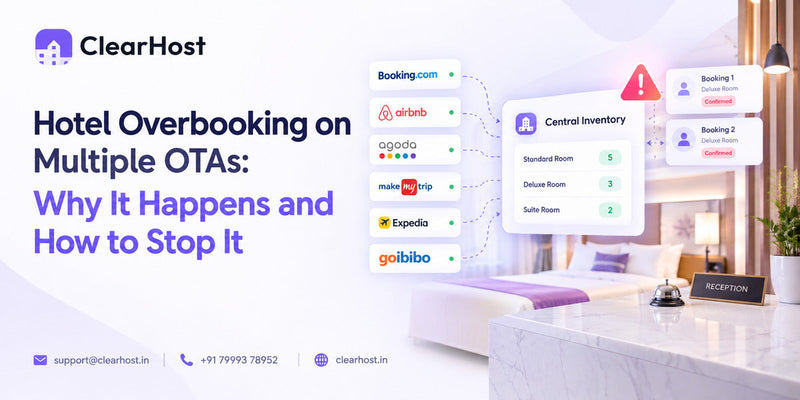
The first point is the expensive one. If blocked rooms do not come off every channel at the same time, a group booking quickly turns into the overbooking problem we cover in our guide to hotel overbooking on multiple OTAs.
What features should group booking software for hotels have?
Not every property needs everything here. A 15-room homestay that hosts the occasional wedding needs far less than a 120-room resort selling conference packages. These are the features worth checking before you choose a system.
Room blocks by room type and date
You should be able to create a block for specific room types across a date range, with different counts on different nights if the group arrives in waves. Held rooms should be easy to spot on the reservation calendar and clearly separate from confirmed stays.
Live inventory sync with your OTAs
This is the feature that stops a group block from causing overbookings. When you block 20 deluxe rooms, availability on every connected OTA and on your own website should drop by 20 at the same moment. When you release unsold rooms, they should go back on sale just as quickly. A PMS that works hand in hand with a channel manager handles this properly. A standalone group tool usually cannot.
Pickup tracking and release dates
Look for a pickup view for each group showing rooms contracted, rooms named, rooms still open and the days left until cutoff. A reminder before the cutoff is far more reliable than a note in someone's phone calendar.
Rooming list management
The system should let you attach names, phone numbers, ID details and room preferences to each room in the block, and update them without rebuilding the reservation. On a 40-room group, importing the list from a spreadsheet instead of typing every name saves an afternoon.
Group billing and company invoicing
Check that room charges can go to a master account or straight to a company, while guests settle their own extras. For corporate groups, ask how the company invoice is produced and whether advances and deposits are recorded against the group.
Group rates, packages and advance payments
Group rates rarely match your public rates. You may need a wedding package with breakfast and dinner, a net rate for a travel agent, or a corporate rate with airport transfers included. The system should store these as rate plans tied to the group and record advance payments against the booking.
Group check-in and housekeeping coordination
A 30-room arrival needs rooms pre-assigned, keys ready and housekeeping working back from the arrival time. Checking the whole group in from one screen, with a housekeeping board that shows which rooms belong to the group, stops the lobby turning into a queue.
Reports on group performance
Once the group has left, you want to know what it was really worth: room revenue, extras, no-shows and how pickup tracked against the contract. Group-level analytics make your next negotiation with the same organiser much easier.
Questions to ask before choosing a group reservation system
-
Can I block rooms by type, with different counts on different nights?
-
Do blocked rooms come off every OTA and my website automatically?
-
How do I track pickup, and will the system remind me before the cutoff date?
-
Can I import a rooming list, or does every name go in by hand?
-
Can room charges go to the company while guests pay for their own extras?
-
How are advances and deposits recorded against the group?
-
Is group booking part of the PMS, or a paid add-on?
If you are comparing systems more broadly, our breakdown of the best hotel PMS systems in India looks at pricing, OTA connections and setup time.
How to manage group bookings and room blocks: a step-by-step workflow
Good software makes group business easier, but the process around it matters just as much. This workflow suits most hotels and resorts, from the first enquiry to the final bill.
Step 1: Qualify the enquiry and check the dates
Before you quote, look at what those dates normally sell for. A group at ₹4,000 a night on a quiet Tuesday is a good deal. The same group on a wedding-season Saturday that usually sells out at ₹7,000 might not be. The next section shows how to work this out.
Step 2: Agree the terms in writing
Put the room count by type, the rate and inclusions, cutoff date, attrition, deposit schedule, cancellation terms and billing instructions into one signed document. A lot of later disputes go back to something agreed on a phone call and never written down.
Step 3: Create the block in your PMS
Enter the block with the correct room types and nights, attach the group rate plan and record the deposit. Then check that availability has actually dropped on every OTA and on your booking engine.
Step 4: Track pickup every week
Send the organiser a short pickup update once a week. If pickup is running well behind, discuss a smaller block before the cutoff. Releasing ten rooms a month out works out better for both sides than ten empty rooms and an attrition bill.
Step 5: Lock the rooming list
Set an internal deadline for the final list a few days before the contract cutoff. After that, accept changes through one contact only, and keep one version of the list in the system.
Step 6: Release unsold rooms on time
On the cutoff date, return unbooked rooms to general sale so your OTAs and website can sell them. Rooms held past the cutoff for no reason are revenue you will not get back.
Step 7: Prepare for arrival
Pre-assign rooms, keep the group close together where you can, and give housekeeping the arrival time and any early check-in requests. For large groups, complete registration details in advance so check-in takes a signature and a key.
Step 8: Settle billing and review the group
Close the master account, make sure personal extras went to the right folios, and note actual pickup, no-shows and total spend. That record is where you start when the same company or family comes back next year.
Should a hotel accept every group booking?
Not always. A group fills rooms in one go, but it also takes those rooms away from individual guests who might have paid more. Revenue managers call this displacement. The question is whether the same rooms would have earned more from individual bookings on those dates.
Here is an illustrative example for a 40-room resort receiving the same group offer on two different dates.
|
Quiet weekday in September |
Wedding-season Saturday |
|
|---|---|---|
|
Group offer: 20 rooms for 2 nights at ₹4,000 |
₹1,60,000 |
₹1,60,000 |
|
Usual rate for those dates |
₹5,000 |
₹7,000 |
|
Likely occupancy without the group |
50% |
95% |
|
Expected revenue from individual guests (20 rooms, 2 nights) |
₹1,00,000 |
₹2,66,000 |
|
Sensible decision |
Accept the group |
Counter-offer or decline |
Meals, banquets and event spend change the maths, so add them to the group side. A peak date is not an automatic no either. You can raise the group rate, suggest dates on either side, or cap the block at fewer rooms. A revenue manager that reads demand for every date lets you make this call from data rather than memory.
How does ClearHost help hotels and resorts manage group bookings?
ClearHost is hospitality management software built for Indian hotels, resorts, homestays and multi-property groups. Group bookings sit in the same system as the front desk, channel manager and booking engine, so a block never lives in a separate file that someone has to remember to update.
Group and corporate bookings inside the ClearHost PMS
In the ClearHost PMS, you can block rooms and manage allotments without spreadsheets, then bill companies directly through the system. Blocked and out-of-order rooms appear on the same reservation calendar as every other stay, in month, week, or day view, so the front desk sees the whole property at once.
One inventory across every channel
ClearHost syncs rooms, rates and availability with MakeMyTrip, Booking.com, Goibibo, Agoda, Airbnb, Expedia and more than 20 other channels. When you block rooms for a group, they come off sale on those channels from one place. That is what stops a wedding block from becoming a double booking on a busy weekend.
Weddings, events and resort groups
For resorts, ClearHost keeps wedding and group room blocks, event spaces and add-ons in one place the whole team can see, and the Revenue Manager adjusts rates around festivals, long weekends and peak seasons. You can read more about ClearHost resort management software.
Group reporting across properties
Owners with more than one hotel can switch between properties from one login or view them together in group reporting, which helps when you need to see how group business is performing across the portfolio.
Frequently asked questions about group booking software
What is the difference between a group booking and a room block?
A room block is the set of rooms a hotel holds for a group. A group booking is the full arrangement around it, including the contract, the rate, the guest names and the billing. The block is the inventory side of a group booking.
How many rooms make a group booking in a hotel?
It depends on the property. Many hotels treat 8 to 10 rooms a night as a group, while smaller hotels and resorts often use a lower number because a handful of rooms is a large share of their inventory.
What is a cutoff date in a hotel room block?
The cutoff date is the deadline for the group to book rooms in the block. After it, the hotel releases unbooked rooms back to general sale. Cutoffs commonly fall three to six weeks before arrival, but each contract sets its own date.
What happens to unused rooms in a room block?
They return to the hotel's general inventory on the cutoff date and can be sold through OTAs, the hotel website or walk-ins. If the contract includes an attrition clause and pickup fell below the agreed level, the organiser may still owe for part of the shortfall.
What is attrition in a hotel group contract?
Attrition is the share of the block a group can leave unbooked without paying a penalty. With 20% attrition on a 50-room block, the organiser is responsible for at least 40 rooms.
Can a channel manager handle group bookings?
Partly. A channel manager keeps availability in sync across OTAs, so it is the piece that takes blocked rooms off every channel. The block itself, the rooming list and the billing are handled in the PMS. That is why ClearHost combines the PMS and channel manager in one platform.
How much does group booking software cost?
Standalone group tools and PMS platforms price differently, usually by room count or by feature set. ClearHost includes group and corporate bookings in its PMS, with room-based plans and no setup fees. You can see current plans on the ClearHost pricing page.
What is a rooming list?
A rooming list names each guest in a group along with their room type, arrival and departure dates and billing instructions. The organiser sends it to the hotel before the cutoff date, and the hotel uses it to create or update individual reservations.
Is group accommodation software worth it for a small hotel or resort?
If you host weddings, corporate groups or tour groups even a few times a season, yes. Small properties feel an overbooking or a weekend of unsold blocked rooms more sharply than large hotels, because every room is a bigger share of revenue. Choosing a PMS that already includes group bookings also saves you paying for a separate tool.
Run your next group booking on ClearHost
If your group bookings still depend on a spreadsheet, a register and a lot of phone calls, the risk sits in the gaps between those tools. ClearHost brings the room block, your OTA inventory, the guest list and the company bill into one system built for Indian hotels and resorts.
Book a demo and ask the team to walk you through a group booking like the last one you handled. You can also start a 30-day free trial without a credit card.