New Hotel Opening Checklist: What to Set Up 90 Days, 30 Days, and 1 Week Before Your First Guest
A practical new hotel opening checklist for independent hotels, resorts and homestays in India. It covers what to set up 90 days, 30 days and one week before your first guest: licences, room types, rates, hotel software, OTA listings, staff training, test bookings and the soft opening.
Table of contents

A new hotel opening checklist is a dated plan of everything that has to be ready before your first guest checks in. In the 90 days before opening, the work is licences, room inventory, rates, and choosing your hotel software. At 30 days out, it moves to OTA listings, channel mapping, a live booking engine, and staff training. The final week is for test bookings, room inspections, and a soft opening.
Most pre-opening guides are written for branded hotels that plan 12 to 18 months ahead with a full pre-opening team. This one is for owners of independent hotels, resorts, boutique properties, and homestays in India who have a shorter runway and need to know what to do and in what order. It also shows where ClearHost, a hospitality management software platform for Indian hotels, fits into each stage.
What does a hotel pre-opening checklist cover?
A hotel pre-opening checklist covers compliance, the rooms themselves, your team, your systems, and your sales channels. Here is how that work splits across the three checkpoints.
|
Phase |
Main focus |
What "done" looks like |
|---|---|---|
|
90 days before |
Licences, room inventory, rates and policies, software selection, core hires |
Approvals applied for, room types and rates final, software chosen, department heads hired |
|
30 days before |
OTA listings, channel mapping, booking engine, PMS setup, training, supplies |
The hotel is bookable online, and staff have practised on the live system |
|
1 week before |
Test bookings, room inspections, safety checks, soft opening |
Every booking path tested and every room signed off |
The order matters more than the exact dates. You cannot list on OTAs before your rates and photos are ready, and you cannot map a channel manager until your room types are fixed. If one step slips, everything after it slips too, so build a buffer of a week or two into your plan.
Why plan your hotel opening in 90, 30 and 7-day stages?
Large hotel groups start pre-opening work a year or more ahead, with separate people for sales, revenue and operations. Most independent owners do not work that way. Construction runs late, the manager joins a few months before opening, and the same two or three people handle everything from linen orders to OTA extranets.
Working back from three checkpoints keeps a small team focused. Ninety days out, the building is usually far enough along to lock room counts and make firm decisions. Thirty days out is the latest point at which you can go live online and still have time to fix what breaks. Use the final week for testing. The building work should be finished by then.
What should you set up 90 days before opening?
At the 90-day mark, the aim is to clear anything that could legally or practically stop you from opening, and to make the decisions that every later task depends on.
Apply for licences and registrations
Approvals in India can take weeks, and several depend on a site inspection, so start these first. The exact list depends on your state, your municipality and the services you offer, but most hotels need:
-
A trade licence or health trade licence from the local municipal body
-
A fire safety NOC from the fire department
-
A police licence or registration for running a lodging establishment
-
GST registration
-
Shops and Establishments registration with the state labour department
-
An FSSAI licence if you serve food
-
A bar licence if you serve alcohol
-
Lift clearance for multi-storey buildings with elevators
-
Signage permission for outdoor boards, where your local body requires it
If you expect foreign guests, register on the Bureau of Immigration's FRRO portal now. Hotels must submit Form C for every foreign national within 24 hours of arrival, and you do not want to be setting up that login while your first international guest waits at the desk. A CA or consultant who handles hotel compliance in your city can confirm what applies to your property.
Lock your room inventory and room types
Decide exactly how many rooms you will sell on day one and how you will group them. A room type should bundle rooms a guest would see as identical: same bed setup, same size, same view and same maximum occupancy. Keep the number of types small. Four or five clearly different categories are easier to sell and manage than ten that guests cannot tell apart.
If some rooms will not be finished by opening, leave them out of your sellable inventory for now. Adding rooms later is easy. Cancelling guests booked into a room that is still being painted is not.
Choose your hotel software
This is when to pick your new hotel software, because almost every task from here on runs through it. A new property usually needs four connected pieces:
-
A property management system (PMS) for reservations, check-in, housekeeping and billing
-
A channel manager to keep rates and availability in sync across OTAs
-
A booking engine so guests can book directly on your website
-
A payment gateway to collect advances and online payments
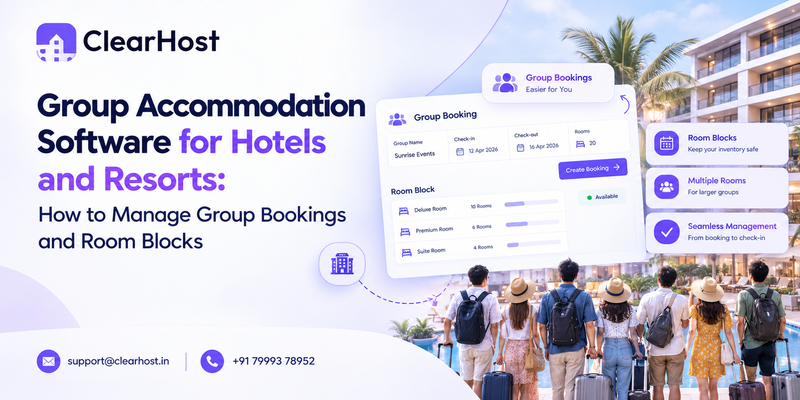
Start with the PMS, since it holds your room inventory and the other tools read from it. ClearHost's hotel property management system includes the channel manager and booking engine in the same platform, so a new property sets up rooms and rates once instead of in three places. If you choose separate products, confirm they integrate with each other before you sign anything.
Questions to ask a hotel software vendor before you sign
-
Which OTAs do you connect to, and who does the room mapping?
-
How long does setup take, and who does it?
-
Is pricing based on room count, bookings or commission?
-
Can housekeeping staff use it on a phone?
-
What support do you offer, and during which hours?
-
Can I try it with my own rooms before paying?
ClearHost answers the last question with a 30-day free trial that needs no credit card. A practical plan for a new hotel is to book a demo around the 90-day mark and start the trial about 30 days before opening, so the trial period covers staff training and your soft opening.
Set your rates and policies
Pick five or six comparable hotels nearby and note what they charge on weekdays, weekends and in peak season. That comparison set is your starting point for base rates. Many new hotels price a little below the market to win early bookings and reviews. That is reasonable, but set a date for moving to normal rates so the discount does not quietly become permanent. ClearHost's free ADR calculator shows the average room rate you need to reach a revenue target.
Write your policies down before anyone creates a listing:
-
Check-in and check-out times, and charges for early arrival or late departure
-
Cancellation and no-show terms for each rate plan
-
Meal plans you will sell, such as EP, CP, MAP or AP
-
Child and extra-bed policy
-
ID requirements, including any rules on local IDs or unmarried couples
-
Pet, smoking and visitor rules
Every OTA asks for these during listing. Answers that differ between platforms lead to disputes with guests later.
Hire your core team and write SOPs
Your front office lead, housekeeping supervisor and maintenance person should be in place by now, even if other staff join later. Ask each of them to write short standard operating procedures for their area: how a room is cleaned and inspected, how a check-in runs, what happens when a guest complains. Staff are far more likely to follow a one-page checklist than a long manual.
Start your online presence
Put up a simple website with your address, room types and a phone number, and claim your Google Business Profile. Book a professional photographer for the first date when finished rooms will be ready. Phone photos of a half-furnished room tend to stay on OTA listings for months, and they cost you bookings the whole time.
What should be done 30 days before your first guest?
Thirty days out, the hotel should become bookable. Everything in this stage is about getting the property live online and making sure your team can run it.
Get listed on OTAs and connect your channel manager
Create listings on the OTAs that matter for your market. For most Indian properties that means MakeMyTrip and Goibibo, Booking.com and Agoda, with Airbnb and Expedia depending on who your guests are. Each platform has its own onboarding and content review, and approval can take anywhere from a few days to a few weeks, so submit as early as you can.
Once a listing is approved, map it in your channel manager. Mapping links each OTA room and rate plan to the matching room type and rate plan in your system, and a wrong mapping is one of the most common reasons a new hotel sells the same room twice. Check each one against the OTA extranet. ClearHost's onboarding team maps rooms and rates for you as part of setup, and our guide to managing Booking.com, Agoda and other OTAs from one place explains how this works day to day.
Open your selling calendar only for dates you are confident about. If there is any chance the opening will slip, keep the first week closed on OTAs and fill it through direct bookings or contacts you can call personally if plans change.
Make your booking engine live
Direct bookings carry no OTA commission, so your website should be taking reservations before you open. Guests who find you on an OTA often check your website before they book, and they need a way to book there too.
ClearHost's booking engine sells from the same inventory as the channel manager, so a direct booking reduces availability on every OTA at once. It accepts UPI, cards and wallets, and payments settle into your own Razorpay or Stripe account. It also supports coupon codes and Google Free Booking Links, which show your direct rate in Google's hotel search. If you do not have a website yet, ClearHost can set up a bookable page for your property, and you can see the full feature list on the ClearHost booking engine page.
Configure the PMS for daily operations
Set up the parts of the PMS your staff will use every day:
-
Room types, room numbers, rate plans, taxes and cancellation rules
-
The housekeeping board, with room statuses and staff assignments
-
Guest profile fields and ID verification at check-in
-
Group and corporate bookings, if you expect them
-
The night audit routine and the reports the owner wants each morning
Enter a few dummy reservations and take each one through the full cycle, from booking to check-out, before real bookings start arriving.
Train staff on real situations, not just screens
Training that only covers which button does what is forgotten within a week. Train on the situations your team will actually face, and run each of these at least once:
|
Situation |
What staff should practise |
|---|---|
|
A walk-in guest with no booking |
Checking live availability, quoting a rate, taking an advance |
|
An OTA booking arrives with the wrong dates |
Finding the booking, calling the guest, correcting it through the right channel |
|
The guest arrives before the room is ready |
Checking housekeeping status, offering luggage storage or a different room |
|
A guest cannot show valid ID |
Following your written ID policy |
|
A card or UPI payment fails |
Retrying, switching method, recording the pending balance |
|
Two guests turn up for one room |
Escalation steps and a nearby partner hotel you can move a guest to |
Stock operating supplies
Order linen, towels, guest amenities, cleaning supplies, minibar stock and key cards now, so a late delivery does not hold up opening day. A common rule of thumb for linen is three sets per bed: one on the bed, one in the laundry and one on the shelf. Count every delivery against the order when it arrives.
Plan your soft opening
A soft opening is a short period where the hotel takes real guests at limited capacity before the official launch. Invite friends, local businesses, travel agents and corporate contacts to stay at a reduced rate in return for honest feedback. Open only some of your rooms. You want enough guests to test every process, but not so many that one problem affects the whole house.
What should you check in the final week before opening?
The last seven days are for finding problems while they are still cheap to fix.
Run end-to-end test bookings
Make a test booking through every channel: each OTA, your booking engine and a phone booking entered at the front desk. For each one, confirm that:
-
The booking appears in the PMS with the correct room type, dates and rate.
-
Availability drops on every other channel straight away.
-
The guest receives a confirmation.
-
Cancelling the booking restores availability everywhere.
-
Payment and refund both work.
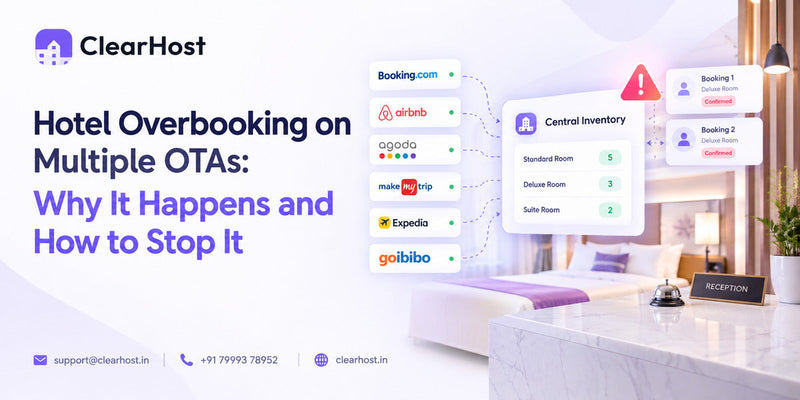
If any channel fails a check, fix the mapping before you sell more dates. Our article on hotel overbooking on multiple OTAs covers the usual causes and how to stop them.
Inspect every room
Walk each room with a checklist and sign it off: air conditioning, hot water, lights, TV, Wi-Fi, door lock, safe, smoke detector, curtains, drainage, toiletries and the view from the bed. Put any room that fails on an out-of-order block in the PMS so nobody can sell it until it is fixed.
Rehearse check-in and check-out
Run mock arrivals with staff playing guests, and time each check-in from greeting to key handover. ClearHost's PMS has a guided check-in flow that finds the reservation, verifies the guest and assigns the room, but your team still needs to practise until it feels routine. Do the same for check-outs, including a guest who disputes a charge.
Confirm safety and compliance
-
Run a fire drill and check extinguishers, alarms and exit signs
-
Keep a stocked first-aid kit at the front desk
-
Check CCTV coverage and recording
-
Test your Form C login and guest register process
-
Display licences wherever the law requires
Prepare a first-week plan
Write a staff rota for the first two weeks with extra cover on days with many arrivals. Keep a contact sheet at the front desk with numbers for the owner, the manager, an electrician, a plumber, the laundry vendor and your software support line. Hold a ten-minute briefing every morning in the first week to go over arrivals and anything that went wrong the day before.
Hotel setup checklist at a glance
|
Area |
90 days before |
30 days before |
1 week before |
|---|---|---|---|
|
Compliance |
Apply for licences, register on the FRRO portal |
Follow up on pending approvals |
Fire drill, display licences, test Form C |
|
Rooms |
Lock room count and room types |
Stock linen and amenities |
Inspect and sign off every room |
|
Software |
Choose PMS, channel manager and booking engine |
Configure PMS, map OTAs, launch booking engine |
End-to-end test bookings on every channel |
|
Revenue |
Set rates, comparison set and policies |
Open the calendar for confirmed dates |
Review early bookings and adjust rates |
|
Team |
Hire department heads, write SOPs |
Train on real scenarios |
Mock check-ins, rota, daily briefing |
|
Marketing |
Website, Google Business Profile, photography |
OTA listings live |
Soft opening, ask early guests for reviews |
Which new hotel software do you need before opening day?
Every new hotel needs a few systems working together from the first booking. This is what each one does and why it should be ready before opening rather than after.
|
Tool |
What it does |
Why you need it before opening |
|---|---|---|
|
Property management system |
Reservations, check-in and check-out, housekeeping, guest profiles, billing, night audit |
Holds the master room inventory every other tool reads from |
|
Channel manager |
Pushes rates and availability to OTAs and pulls bookings back in |
Prevents double bookings once you sell on more than one OTA |
|
Booking engine |
Takes reservations and payments on your own website |
Gives you commission-free bookings from day one |
|
Payment gateway |
Collects advances and online payments |
Lets you take prepaid bookings and cut down on no-shows |
|
Analytics and revenue tools |
Tracks occupancy, ADR, RevPAR and channel mix |
Shows what is working in the first few weeks |
Should you buy separate tools or one platform?
Separate tools let you choose a specialist for each job. The trade-off is that every connection between them is another place where data can fall out of sync, and you pay for, learn and get support from several vendors. An all-in-one platform has one inventory, one login and one support team.
|
Separate tools |
One platform |
|
|---|---|---|
|
Setup |
Configure and connect each product |
Set up rooms and rates once |
|
Inventory |
Synced between systems through integrations |
One shared inventory |
|
Staff training |
Several interfaces to learn |
One interface |
|
Support |
A different vendor for each problem |
One vendor |
|
Cost |
Several subscriptions |
One subscription, or chosen modules |
For a new property with a small team, fewer moving parts is usually the safer choice. ClearHost brings the PMS, channel manager, booking engine and analytics into one system, and you can also build a plan from single modules if you only need part of it.
What are the most common hotel pre-opening mistakes?
-
Going live on OTAs before rates, photos and policies are final, then editing each listing by hand
-
Skipping the mapping check, which leads to double bookings in the first week
-
Opening every room on day one before any process has been tested
-
Selling dates in the planned opening week while construction is still running late
-
Training staff on the software only a day or two before opening
-
Pricing well below the market with no plan to raise rates
-
Leaving the website without a booking engine and relying only on OTAs
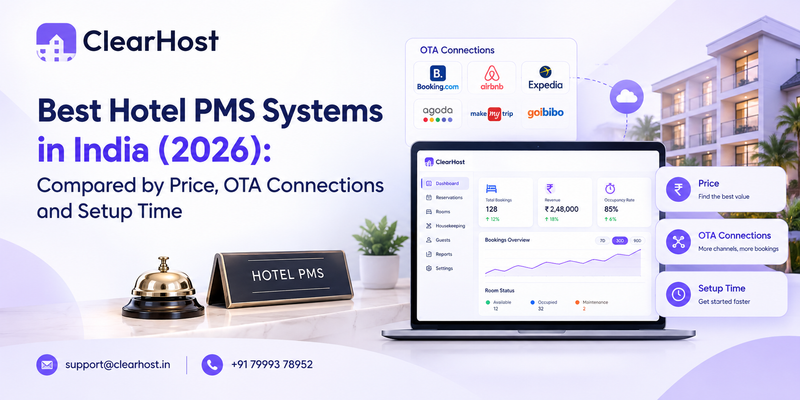
The last one costs more than most owners expect. Every OTA booking carries commission, so the sooner your own website takes bookings, the more of each stay you keep. If you want to compare options in detail, our guide to the best hotel PMS systems in India looks at price, OTA connections and setup time.
What should you track in the first 30 days after opening?
The first month tells you whether your pricing and channel mix are working. Check these numbers every week:
-
Occupancy rate, split by weekdays and weekends
-
Average daily rate (ADR)
-
Revenue per available room (RevPAR)
-
Share of bookings from each OTA and from direct
-
Cancellation and no-show rate
-
Review scores and the complaints that keep coming up
-
Housekeeping turnaround time per room
Compare each week against the targets you set at the 90-day mark, and adjust rates by day of week rather than across the board. A quiet Tuesday and a full Saturday need different fixes. Watch your OTA reviews closely too. A new listing has very few, so each early review carries a lot of weight with the next guest.
ClearHost's free hotel tools include occupancy, ADR and RevPAR calculators if you want to check figures quickly. Inside the platform, the analytics dashboard shows revenue, occupancy and ADR trends and suggests next steps, such as raising weekend rates when demand is running ahead.
How ClearHost helps a new hotel open on schedule
ClearHost is hospitality management software built for Indian hotels, resorts, boutique properties, homestays and hotel groups. For a property about to open, it covers the systems side of this checklist from one dashboard.
-
The PMS handles reservations, check-in, housekeeping, guest profiles, group bookings and night audit.
-
The channel manager syncs rates and availability in real time with MakeMyTrip, Booking.com, Goibibo, Agoda, Airbnb, Expedia and other channels.
-
The booking engine takes commission-free direct bookings, with payments settled to your own Razorpay or Stripe account.
-
Analytics tracks revenue, occupancy and ADR and suggests rate changes.
-
An optional AI Ads Manager runs Google and Meta campaigns for direct bookings.
There is no setup fee, pricing is based on your room count, and the onboarding team maps your rooms and rates. Every plan starts with a 30-day free trial, and owners of multiple properties can manage them all from one login. You can see current plans on the ClearHost pricing page.
Frequently asked questions
How far in advance should you start preparing to open a hotel?
Branded hotels often begin pre-opening work 12 to 18 months ahead. For a small independent property, three to six months is usually enough for operations, provided licence applications start earlier. Software setup, OTA listings and staff training fit into the last 90 days.
When should a new hotel start taking bookings?
Start taking bookings once your room inventory, rates and policies are final and the opening date is firm. For most independent properties, opening the calendar 30 to 90 days ahead works well. If construction might run late, keep the first week closed on OTAs so you do not have to cancel guests.
What licences are required to open a hotel in India?
Most hotels need a trade licence, a fire safety NOC, a police licence, GST registration and Shops and Establishments registration. You also need an FSSAI licence if you serve food and a bar licence if you serve alcohol. Requirements vary by state, so confirm the list with your municipal body or a compliance consultant.
What is a soft opening for a hotel?
A soft opening is a trial period where the hotel takes real guests at limited capacity, often at a lower rate, before the official launch. It gives staff a chance to test every process and fix problems before the hotel is full.
How long should a hotel soft opening last?
Anywhere from a few days to a few weeks. A small property can often test everything it needs in three to seven days. Larger hotels with a restaurant, banquets or a spa usually need longer.
What software does a new hotel need?
A new hotel needs a property management system, a channel manager, a booking engine and a payment gateway. Some platforms, including ClearHost, combine these so rooms, rates and bookings sit in one system.
Should you set up the PMS or the channel manager first?
Set up the PMS first. It holds your room types, room numbers and rate plans, and the channel manager maps OTA listings to them. When both are part of one platform, you configure rooms once and map OTAs straight after.
How long does it take to set up hotel software?
It depends on the vendor and the size of the property. ClearHost says most properties are connected and live within a day, with its team handling room and rate mapping. Leave extra time for OTA listing approvals, which depend on each platform.
How do you avoid overbookings when you first go live on OTAs?
Use a channel manager that syncs availability in real time, check every room and rate mapping against the OTA extranet, and run test bookings and cancellations on each channel before selling more dates. Once the channel manager is connected, stop changing availability by hand on individual extranets.
Opening a hotel in the next 90 days?
Use this new hotel opening checklist to plan your countdown, and let ClearHost take care of the systems side. Book a ClearHost demo to see how your rooms, rates and OTA listings would be set up for your opening date, or call the team on +91 79993 78952. Every plan comes with a 30-day free trial and no setup fee.