PMS vs Channel Manager: What's the Difference and Does Your Hotel Need Both?
A hotel PMS runs your daily operations, while a channel manager keeps your rates and availability in sync across OTAs like MakeMyTrip, Booking.com and Agoda. This guide explains the difference between the two, how they work together, and whether your property needs both, with a quick guide by hotel type.
Table of contents

A hotel PMS (property management system) runs everything that happens inside your property: reservations, check-ins, housekeeping, billing and guest records. A channel manager handles what happens outside it. It sends your room rates and availability to OTAs such as MakeMyTrip, Booking.com, Goibibo and Agoda, and brings their bookings back to you. If your hotel sells rooms on more than one OTA, you need both, and they should share the same live inventory.
That's the short answer. The longer one depends on your room count, how many channels you sell on and how much of your day goes into updating them by hand. This guide explains what each system does, where the line between them sits, how the two connect, and how to decide what your property needs. It also covers how ClearHost runs both inside one hospitality management software platform.
What is a hotel property management system (PMS)?
A hotel PMS is the software your team uses to run daily operations. It holds the room inventory, every reservation, the status of each room and the bill for each guest. With a cloud-based PMS, the owner can check on the property from a phone and the front desk isn't tied to one office computer.
Think of it as the hotel register, the housekeeping board and the accounts book kept in one place. Whether a guest walks in, calls, or arrives with an OTA booking, the PMS is where that stay is recorded and managed until checkout. A hotel property management system like ClearHost PMS also keeps guest history, so a returning guest's preferences are on screen when they reach the desk.
What does a PMS handle day to day?
-
Reservations, including walk-ins, phone bookings and group blocks
-
Check-in and check-out, guest ID verification and room assignment
-
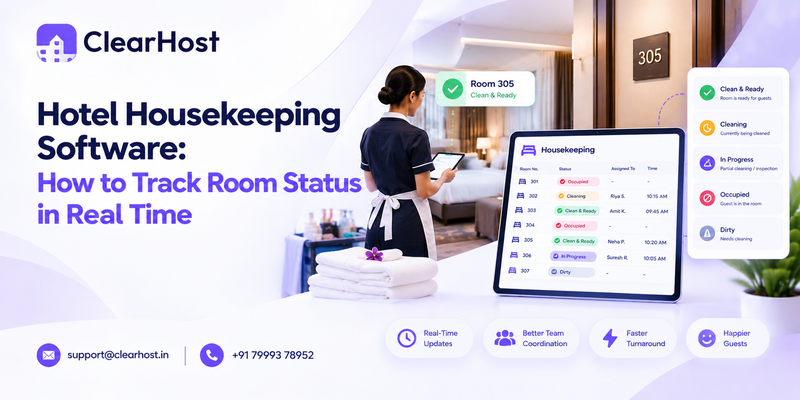
Housekeeping status: dirty, clean, inspected or out of order
-
Guest folios, advances, payments and invoices
-
Guest profiles and stay history
-
Night audit and daily revenue and occupancy reports
-
Room types, rate plans, taxes and cancellation policies
Who uses the PMS in a hotel?
The front desk works in it all day. Housekeeping staff update room status from it, often on a phone. Accounts pull folios and reports from it, and owners use it to check occupancy and revenue. In a small property one person may do all of this, which is a good reason to keep it in one system instead of a register, a WhatsApp group and a spreadsheet.
What is a hotel channel manager?
A channel manager is software that connects your hotel to online booking channels and keeps them in step with each other. You set a rate or change availability once, and the channel manager pushes that change to every connected OTA. When a booking arrives on any one channel, it reduces availability on all the others.
Without one, staff log in to each OTA extranet separately. With five listings, that means five places to change a weekend rate and five chances to miss a closeout. The ClearHost channel manager syncs rates, inventory and restrictions across Booking.com, MakeMyTrip, Goibibo, Agoda, Airbnb, Expedia and other connected channels from one screen.
What does a channel manager do?
-
Pushes room rates and availability to every connected OTA
-
Collects OTA bookings, modifications and cancellations in one place
-
Closes a room type on all channels when it sells out (stop-sell)
-
Applies restrictions such as minimum length of stay or closed to arrival
-
Lets you keep one rate everywhere or set different rates per channel
-
Handles bulk updates across date ranges and room types
Is an OTA the same as a channel manager?
No. MakeMyTrip, Booking.com and Agoda are OTAs, the marketplaces where travellers find and book your hotel. A channel manager sits between your hotel and those marketplaces. Each OTA only knows about its own bookings. When the last deluxe room sells on Booking.com, it's the channel manager that tells Agoda to stop selling it.
If your listings aren't live yet, start with our guide on how to list your hotel on MakeMyTrip, Booking.com and Agoda, then connect them to a channel manager.
PMS vs channel manager: what are the main differences?
The easiest way to see the difference between a PMS and a channel manager is to look at which way each one faces. A PMS looks inward at the hotel. A channel manager looks outward at the market.
|
Hotel PMS |
Channel manager |
|
|---|---|---|
|
Main job |
Runs daily hotel operations |
Distributes rates and rooms to online channels |
|
Focus |
Inside the hotel: guests, rooms, staff, billing |
Outside the hotel: OTAs and other booking sites |
|
Main users |
Front desk, housekeeping, accounts, owner |
Owner, revenue or reservations manager |
|
Data it holds |
Reservations, room status, folios, guest profiles |
Rates, availability, restrictions, OTA bookings |
|
Typical tasks |
Check-in, housekeeping, invoicing, night audit |
Rate updates, stop-sell, room mapping, booking sync |
|
Problems it prevents |
Lost reservations, billing errors, room mix-ups |
Overbookings, mismatched rates, manual OTA updates |
|
Works on its own? |
Yes, if you sell on one OTA or none |
Partly, but bookings still need managing once they arrive |
What goes wrong when a hotel has only one of them?
A hotel with a PMS but no channel manager still updates every OTA by hand. The PMS knows a room is taken, but the OTAs don't find out until someone logs in and closes it. Overbookings happen in that gap. It's also how prices drift apart from one site to the next, which our guide to hotel rate parity explains in detail.
A hotel with a channel manager but no PMS has the opposite problem. OTA bookings arrive in one place, but walk-ins, phone bookings, housekeeping and billing still live in registers or spreadsheets. Someone has to copy each booking across, and the channel manager can't see a room sold at the front desk unless staff block it manually.
How do a PMS and channel manager work together?
When the channel manager and PMS are connected, they share one pool of inventory. Every sale, wherever it happens, lowers availability everywhere else.
What happens when a guest books on an OTA?
Say you run a 20-room hotel and have 4 deluxe rooms left for Saturday night.
-
A guest books one deluxe room on Booking.com.
-
The channel manager receives the booking within seconds.
-
It passes the reservation, guest details and payment status to the PMS.
-
Deluxe availability drops to 3 in the PMS.
-
The channel manager sends the new count to MakeMyTrip, Agoda, Goibibo and every other connected channel.
-
On Saturday, the front desk checks the guest in from the PMS, and housekeeping already has the room on their board.
Nobody typed the booking twice, and no other OTA could sell that room in the meantime.
What happens when you change a rate or block a room?
The flow works in the other direction too. If a corporate client calls and takes two rooms, the front desk enters them in the PMS and the channel manager closes them on every OTA. If you raise weekend rates, you change them once and every channel shows the new price. A room taken out of order for repairs comes off sale everywhere at the same moment.
One-way vs two-way integration: why does it matter?
A one-way connection sends data in only one direction, usually OTA bookings flowing into the PMS. Changes made at the front desk, such as a walk-in or a maintenance block, don't go back out to the OTAs on their own. Staff still have to close those rooms by hand, and the overbooking risk comes straight back.
A two-way connection sends data both ways in real time, which is what you want. When the PMS and channel manager are built as one system, as they are in ClearHost, there's no separate connection to set up or to break, because both modules read from the same inventory.
What to check before you buy
-
Does availability sync both ways, including walk-ins and blocked rooms?
-
How quickly do updates reach the OTAs?
-
Does it support the OTAs you sell on? You can check the full list of ClearHost OTA connections.
-
Who maps your rooms and rate plans to each OTA during setup?
-
What happens to incoming bookings if a connection drops?
Can a hotel run with only a PMS or only a channel manager?
Yes, in some cases. It comes down to how many channels you sell through and how many of your bookings come from outside them.
When a PMS alone is enough
A PMS on its own works if most guests come to you directly, through walk-ins, calls, travel agents or corporate contracts, and you list on one OTA or none. Some heritage properties and long-stay business hotels run like this. Once you add a second OTA, the manual updates start to eat into the day, and every extra listing is another place a room can sell twice.
When a channel manager alone is enough
A channel manager on its own can suit a very small property, such as a two- or three-room homestay where the owner checks guests in personally and keeps simple records. It can also suit a hotel that already has a PMS it likes and only needs better OTA distribution. In that case, make sure the channel manager connects properly to your existing PMS. ClearHost's channel manager connects to select third-party PMSs [to confirm: list of supported PMSs].
For most hotels with more than a handful of rooms and two or more OTAs, running both is the practical choice.
Does your hotel need both? A guide by property type
Room counts below are rough guides. Your number of channels and staff matters as much as your size.
|
Property type |
Typical setup |
What usually fits |
|---|---|---|
|
Homestay or villa (about 1 to 5 rooms) |
1 to 3 OTAs, run by the owner |
Channel manager first, then a PMS as bookings grow |
|
Boutique hotel (about 6 to 30 rooms) |
Several OTAs plus walk-ins |
PMS and channel manager together |
|
Mid-size hotel (about 30 to 100 rooms) |
Many channels and a larger team |
Connected PMS and channel manager, plus a booking engine |
|
Resort |
Seasonal rates, many room types, heavy housekeeping |
Connected PMS and channel manager |
|
Hotel group |
Several properties under one owner |
One system with multi-property access |
Homestays and vacation rentals
For homestays and vacation rentals, the first problem is usually a double booking across Airbnb, Booking.com, and MakeMyTrip. That's why small properties tend to start with the channel manager. A PMS becomes worth adding once there are staff to coordinate, several units to track, or regular walk-in guests to record.
Boutique and mid-size hotels
This is where running both pays off most clearly. You have a front desk to run and several OTAs to keep in sync, usually with a small team doing both jobs. Every booking typed twice wastes time, and every missed closeout risks a guest arriving to find no room. With a connected system, one person can handle rates, OTA bookings, and check-ins without switching between tools.
Resorts
Resorts usually carry more room types, more seasonal rate plans and more minimum-stay rules than a city hotel, and their housekeeping workload swings with occupancy. The channel manager has to push those rates and restrictions accurately to each OTA, while the PMS keeps the housekeeping board current. Running them as one system removes the risk of a rate plan existing in one tool and not the other.
Hotel groups and multi-property owners
With more than one property, the question changes from "Do I need both?" to "Can I see everything in one place?" Separate tools for each property mean more logins and more invoices and a different support contact for each one. ClearHost lets owners switch between properties from one login and view group reports, as shown on the multi-property page.
Separate tools or an all-in-one system: which costs less to run?
A standalone channel manager can look cheaper on its own. The figure that matters is the total cost, because most hotels end up paying for a PMS anyway.
When the PMS and channel manager come from different vendors, you may pay for:
-
Two subscriptions, sometimes with a separate fee for the connection between them
-
Staff time spent fixing mapping errors when a room type or rate plan doesn't match
-
Two support teams, each pointing at the other system when a sync fails
-
Separate reports that someone has to combine by hand
An all-in-one platform removes the connection and the second vendor. ClearHost offers its PMS and channel manager as separate plans or together in its All in One plan, with room-based pricing, no setup fee and no commission on bookings. You can start with one module and add the other later without moving your data. Current plans are listed on the ClearHost pricing page.
A standalone setup still makes sense if you already have a PMS your team knows well and it connects properly to the channel manager you pick.
What other hotel management software modules work alongside a PMS and channel manager?
The PMS and channel manager sit at the centre of most hotel management software, but they're rarely the whole setup. The modules below connect to them and rely on the same inventory.
Booking engine
A booking engine is the reservation widget on your own website. It lets guests book with you directly, with no OTA commission on that stay. It needs live availability to work, which is why it connects to the channel manager. In ClearHost, the direct booking engine runs alongside the channel manager, so a room booked on your site comes off sale on the OTAs straight away.
Revenue management
Revenue tools help you decide what to charge. They read occupancy and booking pace from the PMS, and the channel manager then sends the rates you settle on to every channel. If the two systems aren't connected, pricing decisions rest on numbers that someone has pulled by hand from several dashboards, often a day late. In a busy week, that delay can mean selling your best rooms too cheaply.
Reports and analytics
Occupancy, ADR (average daily rate) and RevPAR (revenue per available room) all come from PMS data. Channel performance, meaning which OTA brings in the most bookings or revenue, comes from the channel manager. Seeing both side by side tells you whether a channel is worth its commission. ClearHost analytics reads from the same data and suggests pricing moves, such as raising weekend rates when demand is running ahead of last year.
Payments and guest messaging
Payment gateways let you collect advances and settle folios inside the PMS. ClearHost lists Razorpay and Stripe among its payment integrations, and WhatsApp for guest messaging.
How ClearHost brings your PMS and channel manager together
ClearHost is hotel management software built for Indian hotels, resorts, homestays and hotel groups. Its PMS and channel manager are modules of the same platform, so they share one inventory from day one and there's no integration to configure between them.
ClearHost PMS
-
Reservation calendar with month, week and day views, drag-and-drop stay changes and maintenance blocks
-
Housekeeping board with live room status, task assignment and a simple mobile view for housekeeping staff
-
Guided check-in and check-out with guest verification, room assignment and payment collection
-
Guest profiles with stay history, preferences and documents
-
Group and corporate bookings with room blocks and company billing
-
Automated night audit
-
Room types, rate plans, taxes and cancellation rules set up once and applied across channels
If you handle weddings, tour groups or corporate stays, our guide to group accommodation software explains how room blocks and group billing work.
ClearHost channel manager
-
Real-time sync of rates, inventory and availability across connected OTAs
-
Automatic stop-sell when a room type sells out
-
Restrictions, bulk updates and a calendar view by room and date
-
The same rate on every channel, or channel-specific rates and markups
-
Guided OTA connection, with the ClearHost team mapping your rooms and rate plans
Can you buy one module or both?
Yes. You can start with the PMS, the channel manager or both, then add the booking engine and other modules when you need them. Every plan includes a 30-day free trial. During onboarding, the ClearHost team imports your rooms, rates, reservations and guest data from your current system or spreadsheets, and most properties are live within a day. Owners with several properties manage them all from one login.
What should you ask before choosing a hotel PMS and channel manager?
-
Does it connect to the OTAs that bring you the most bookings, including MakeMyTrip and Goibibo if you sell mainly in India?
-
Is the sync between the PMS and channel manager two-way and real time?
-
Can it handle your setup: room types, seasonal rates, group bookings and more than one property?
-
Who does the room and rate mapping, and how long until you're live?
-
Will the vendor move your existing reservations and guest data?
-
Is pricing based on rooms or on bookings, and are there setup or integration fees?
-
Can housekeeping staff and the owner use it from a phone?
-
What support is available, and through which channels?
-
Is there a free trial, so your team can test it on real bookings?
For a wider look at the options, see our comparison of the best hotel PMS systems in India.
Frequently asked questions about PMS and channel managers
What is the difference between a PMS and a channel manager?
A PMS manages operations inside the hotel, such as reservations, check-ins, housekeeping and billing. A channel manager manages distribution outside it, keeping rates and availability in sync across OTAs. In short, the PMS runs the hotel and the channel manager sells its rooms online.
Is a channel manager part of a hotel PMS?
Sometimes. Some platforms, including ClearHost, build the channel manager and PMS into one system. Others sell them as separate products joined by an integration. If they're separate, confirm the connection is two-way.
Do small hotels need both a PMS and a channel manager?
A small hotel listed on two or more OTAs usually needs both. A two- or three-room homestay can often start with a channel manager alone and add a PMS once it has staff or more units to manage.
How does a channel manager prevent overbookings?
It treats your rooms as one shared pool. When a booking comes in on any channel, it lowers availability on every other channel within seconds, and it closes a room type everywhere once the last room sells. When it's connected to a PMS, walk-ins and blocked rooms are included too.
What is the difference between a channel manager and a booking engine?
A channel manager connects your hotel to third-party sites such as OTAs. A booking engine takes reservations on your own website without commission. The booking engine relies on the channel manager or PMS for live availability.
Can I connect my existing PMS to a new channel manager?
Often, yes, as long as the two products have an integration. ClearHost's channel manager connects to select third-party PMSs [to confirm: supported PMS list]. Ask any vendor which PMSs they support and whether the sync runs both ways.
Can I set different rates on different OTAs?
Yes, with most channel managers. In ClearHost you can send the same rate to every channel or set channel-specific rates, markups and restrictions.
How long does it take to set up a PMS and channel manager?
It depends on your room count and the number of channels. With ClearHost, most properties are connected and live within a day, with the onboarding team mapping rooms and rates and importing your existing data.
See ClearHost's PMS and channel manager on your own property
If your team updates OTAs by hand, copies bookings between systems or worries about the next overbooking, a connected PMS and channel manager takes most of that work away. ClearHost runs both from one dashboard for hotels, resorts and homestays across India, with room-based plans and a 30-day free trial.
Book a free demo to see your own rooms, rates and OTAs running from one screen, or ask for a quote based on your room count.