How to List Your Hotel on MakeMyTrip, Booking.com and Agoda: A Step-by-Step Guide for Indian Hotels
A step-by-step guide for Indian hotels to list on MakeMyTrip, Booking.com and Agoda, covering the documents you need, approval time, commission, payouts and how to connect all three OTAs.
Table of contents

To list your hotel on MakeMyTrip, Booking.com, and Agoda, you register on each platform's partner portal separately: Connect by MakeMyTrip (earlier called InGo-MMT), join.booking.com, and Agoda's YCS extranet. Each one asks for your property details, room types, rates, photos, policies, and bank details, then verifies your documents before the listing goes live. Signing up is free on all three, and you pay commission only on bookings you receive.
That is the short answer. The details matter because small setup errors, like a wrong room count or a name that doesn't match your GST certificate, can hold up approval for days or cause overbookings once you sell on more than one site. This guide covers each portal step by step, the documents Indian hotels need, how commission and payouts work, and what to set up after you go live so that three extranets don't eat your front desk's day.
What does it mean to list a hotel on an OTA?
An online travel agency (OTA) is a booking website where travelers search, compare, and pay for rooms. Listing your hotel means creating a property page on that site and agreeing to pay the OTA a commission on each completed booking. You then manage rooms, rates, and availability from the OTA's back office, called an extranet.
For most Indian hotels, the first three listings worth setting up are MakeMyTrip, Booking.com, and Agoda. MakeMyTrip also publishes your property on Goibibo from the same partner account. Booking.com brings international and domestic travellers, and Agoda has strong reach among travellers coming from other parts of Asia.
Visibility on Google is part of the reason. In a Skift Research analysis of about 600 Google Hotels listings in India, Booking.com appeared in close to 60% of sponsored results and MakeMyTrip in 52%. If your property isn't on these sites, those placements go to the hotel down the road.
MakeMyTrip vs Booking.com vs Agoda: which should you list on first?
Most independent Indian hotels list on MakeMyTrip and Booking.com at the same time, then add Agoda. The table shows how the three differ before you start.
|
MakeMyTrip |
Booking.com |
Agoda |
|
|---|---|---|---|
|
Where you register |
Connect by MakeMyTrip app or the hotelier page on makemytrip.com |
join.booking.com, then the Booking.com extranet |
"List your property" on agoda.com, then YCS |
|
Also shows your property on |
Goibibo |
Booking.com website and app |
Agoda website and app (Agoda Homes for single units) |
|
Strongest with |
Indian travelers in metros and smaller cities |
International and domestic travellers |
Travellers from across Asia, plus domestic |
|
Cost to register |
Free |
Free |
Free |
|
How commission is settled |
As per your MakeMyTrip agreement |
Shown at the "Agreement" step, invoiced monthly |
Settled against the booking value |
|
How you get paid |
As per your agreement |
Guests usually pay you, and you pay Booking.com's invoice. |
Bank transfer, claimed in YCS one day after check-out |
Your guest mix should decide the order. A hill-station homestay that fills up with weekend drivers from nearby cities will get most of its bookings from MakeMyTrip. A heritage property in Udaipur or a beach resort in Goa with foreign guests will see more from Booking.com and Agoda.
ClearHost usually recommends starting with Booking.com, MakeMyTrip, Goibibo, and Agoda, then adding Airbnb for villas and homestays and Google free booking links for direct demand. You can see the full list of channels on the ClearHost OTA connections page.
What documents do you need to register a hotel on an OTA in India?
You need business tax details, bank proof, proof that you own or manage the property, owner ID and good photos. Each OTA has its own form, but the list overlaps heavily, so collect everything once before you open any portal.
|
Document or detail |
What the OTA uses it for |
Tip |
|---|---|---|
|
PAN card (business or proprietor) |
Tax identity and payouts |
Use the same PAN as your bank account |
|
GSTIN certificate, if registered |
Tax invoices and GST on commission |
The legal name should match your listing name or show it as a trade name |
|
Cancelled cheque or bank letter |
Verifying the payout account |
Account name must match the business name |
|
Sale deed, lease or management agreement |
Proof that you can rent the property |
Keep a clear PDF scan, not a phone photo |
|
Owner or authorised signatory ID |
KYC checks |
Aadhaar or passport works for most portals |
|
Trade license, hotel registration, or state homestay registration |
Local compliance checks |
Requirements differ by state and property type |
|
Full address and Google Maps pin |
Map placement and location checks |
Pin your entrance, not a nearby landmark |
|
Photos of every room type, bathrooms, exterior, and common areas |
Listing review and guest conversion |
Shoot in daylight with lights on |
Do you need GST registration to list on MakeMyTrip or Booking.com?
GST registration is compulsory once your annual turnover crosses the threshold, which is ₹20 lakh for most service businesses and ₹10 lakh in some special category states. Many small homestays fall below it. How each OTA handles properties without a GSTIN can change, so ask the onboarding team at signup and check with your CA. The GSTIN you enter, or leave blank, affects how tax is handled on every payout after that.
Which local licenses should be in order before you list?
States set their own rules. Goa, Kerala, Himachal Pradesh, Uttarakhand, and Rajasthan, among others, run homestay registration schemes, and hotels may need a trade license, fire NOC, and police registration depending on size and location. If you host foreign nationals, you also have to submit Form C details through the FRRO system. An OTA may not ask for all of this at signup, but missing paperwork can get a live listing suspended later. If you are opening a new property, our new hotel opening checklist puts these approvals on a timeline.
How to list your hotel on MakeMyTrip (and Goibibo)
MakeMyTrip onboards hotels through Connect by MakeMyTrip, its partner app and extranet. MakeMyTrip says on its hotelier registration page that you can list a property for free in about 30 minutes, though document checks take longer. One registration covers both MakeMyTrip and Goibibo.
Step 1: Create your partner account
Download the Connect by MakeMyTrip app or start from the hotelier page on makemytrip.com. Sign up with a mobile number and email address you check every day, because OTPs and verification requests go there.
Step 2: Choose your property type and add basic details
Pick the type that matches how you operate, such as hotel, resort, homestay, villa, or apartment. Enter the property name exactly as it appears on your GST certificate or signboard. Then drop the map pin on your actual entrance. A wrong category or a misplaced pin is one of the most common reasons a listing gets sent back.
Step 3: Add room types, inventory and rates
Create each room category with its size, bed type, maximum occupancy, and the number of rooms in it. Be exact with the count: if you have 12 rooms and list 14, MakeMyTrip will sell two rooms you don't have. Add your base rates and the meal plans you offer (EP, CP, MAP, or AP). Not sure what you actually earn per occupied room? Our free ADR calculator gives you a quick baseline before you set prices.
Step 4: Upload photos and write the description
Upload recent photos of every room category, the bathrooms, the exterior, the reception, and any pool, restaurant, or view. Write the description in plain terms: distance from the station or airport, parking, power backup, Wi-Fi, lift access, and check-in times. These details answer the questions guests would otherwise ask over the phone.
Step 5: Set your policies
Fill in check-in and check-out times, cancellation rules, child and extra-bed charges, accepted ID types and whether you allow local IDs or unmarried couples. Clear policies prevent most arguments at the front desk.
Step 6: Complete KYC and add bank details
Upload your PAN, GSTIN (if you have one), ownership or lease proof, owner ID, and a cancelled cheque. The account holder's name on the cheque should match the business name on your documents.
Step 7: Review the agreement and submit
Read the commercial terms before you accept them, especially the commission percentage, payment terms and any promotions you are opted into by default. Once MakeMyTrip verifies your details, your property goes live on MakeMyTrip and Goibibo.
How long does MakeMyTrip take to approve a hotel listing?
Usually a few working days when the documents are complete and consistent. Most delays come from a name mismatch across GST, PAN, and bank records, a blurry scan, or a map pin that doesn't match the written address.
How to list your property on Booking.com
Booking.com registration starts at join.booking.com, where you click "List your property" and work through a guided form. It runs on a phone, but a laptop makes the room and photo steps faster.
Step 1: Create your partner account
Enter your email address, set a password, and add your name and phone number. This becomes your extranet login, so use a business email that more than one person on your team can access.
Step 2: Choose the property type and confirm the location
Select a hotel, guesthouse, homestay, apartment, or the closest match. Booking.com places your property on its map and in location searches from the address and pin you give, so check both carefully.
Step 3: Add rooms and pricing
Set up each room type with its bed configuration, size, maximum guests, and the number of identical rooms. Then enter a base price per night. You can add non-refundable or breakfast-included rate plans later in the extranet.
Step 4: Add facilities, photos and house rules
Tick the facilities you actually offer, such as breakfast, parking, Wi-Fi, a restaurant, airport transfers, and the languages your staff speak. Aim for 20 or more photos that cover every room type, the bathrooms, the building, and the views. Then set house rules for check-in times, children, pets, and parties.
Step 5: Set policies and payment options
Choose a cancellation policy from Booking.com's standard options and decide how guests pay: at the property, or online where Booking.com offers payment handling for your location. Add your invoicing details here so commission invoices go to the right legal entity.
Step 6: Accept the agreement and open for bookings
Booking.com shows your commission percentage at the "Agreement" step of registration. After you accept and complete the listing, you can open the property for bookings, and Booking.com may still check your property details and ownership documents.
How does Booking.com commission work for Indian hotels?
According to the Booking.com partner FAQ, you pay commission per booking and receive an invoice at the end of each month. If a guest cancels under a free cancellation policy, you pay no commission. If you charge a cancellation fee, commission applies to the amount the guest pays. No-shows carry no commission unless you have set a no-show charge. Indian properties can settle the invoice by bank transfer or UPI using the details printed on it.
Commission adds up quietly across a season. Our guide on how to reduce OTA commission for hotels in India covers ways to keep more of each booking without dropping off the OTAs.
How does Booking.com verify a new property?
Booking.com may confirm your location by calling the phone number you registered or by posting a letter with a verification code to the property address. Keep someone ready to take that call and watch your mail for the first few weeks.
How to list your hotel on Agoda
Agoda has two signup paths. Agoda Homes is for single units such as villas, apartments, and small homestays. Hotels, resorts, and other multi-room properties register on the hotel path and manage everything in YCS, Agoda's partner extranet.
Step 1: Start your registration
Go to the "List your property" page on agoda.com and choose the category that fits. If you already have a YCS account for another property, sign in and add the new one from the account menu instead of registering again.
Step 2: Enter property information and location
Add the property name, star rating if you have one, full address, and the exact map position. Use the same name and address you used on MakeMyTrip and Booking.com. Consistent details make it easier for guests and for Google to recognise that the three listings are the same hotel.
Step 3: Set up rooms and rate plans
Create each room type with occupancy, bed type, size and room count. Add rate plans for the ways you sell, such as refundable, non-refundable, and breakfast included.
Step 4: Add photos, facilities and policies
Upload photos for every room type and common area, tick your facilities and set cancellation, child and check-in policies. If you run villas or homestays that also sell on Airbnb, see how ClearHost handles vacation rentals and homestays across channels.
Step 5: Add your bank account in YCS
Do this before your first booking. According to Agoda's partner hub, Agoda began moving Indian properties from virtual card payouts to bank transfer from 2 January 2025. Booking value becomes claimable in YCS one day after the guest checks out, and properties without bank details in YCS cannot claim it.
Step 6: Submit for review
Agoda reviews new properties and contacts you if a document or detail is missing. Once approved, your listing appears in Agoda search results, and you can manage rates and availability from YCS.
How do OTA commission, payouts and taxes work for Indian hotels?
You receive the room revenue minus the OTA's commission, minus 18% GST on that commission, minus small statutory deductions the OTA makes as an e-commerce operator. Commission depends on your contract, location, and the promotions you join. Across channels, many Indian hotels end up giving 15% to 25% of room revenue to OTAs.
Here is how one booking settles when the OTA collects payment from the guest, using an 18% commission as an example:
|
Line item |
Amount |
|---|---|
|
Room revenue, excluding GST on the room |
₹10,000 |
|
OTA commission at 18% |
₹1,800 deducted |
|
GST at 18% on the commission |
₹324 deducted |
|
Payout before TCS and TDS |
₹7,876 |
The OTA then withholds GST TCS and income tax TDS at the rates in force on the date of the booking. You can claim both as credits, and if you are GST registered, you can usually claim the GST on commission as input tax credit. These rates have changed more than once in recent years, so ask your CA to confirm the current figures and to check that each settlement matches your own booking records.
The flow differs by platform. On a pay-at-hotel Booking.com booking, you collect the full amount from the guest and pay commission through the monthly invoice. On Agoda and on MakeMyTrip prepaid bookings, the OTA collects first and pays you the net amount.
What should you do after your hotel goes live on all three OTAs?
Connect all three listings to one system that controls your rooms and rates. Each extranet keeps its own calendar, so a room sold on MakeMyTrip at 9 pm stays open on Booking.com and Agoda until someone updates them by hand. With 10 or 20 rooms and a busy weekend, that gap is where double bookings come from.
How do you connect your hotel to OTAs with a channel manager?
A hotel channel manager links your inventory to every OTA, so one change to rates or availability updates all of them. The connection is set up from both ends. You authorise your provider inside each OTA's extranet, then the provider maps your room types and rate plans to the matching ones on each channel.
Connecting MakeMyTrip
MakeMyTrip issues a Hotel ID (hotel code) and a property-specific connection token for channel managers through its partner platform. Ask MakeMyTrip support or your market manager to enable the connection for your provider, then share the hotel ID with your channel manager.
Connecting Booking.com
In the Booking.com extranet, open the account, choose the connectivity provider, search for your provider, and confirm the connection. A Booking.com listing can have only one connectivity provider at a time, so disconnect any old provider first.
Connecting Agoda
In YCS, open your property settings, switch on channel manager mode and select your provider. Once all three are linked, map every room type and rate plan, leave nothing unmapped, and test with a single date before you open full inventory.
How do you stop overbookings across multiple OTAs?
Use one inventory pool. When the same 12 rooms are available on three sites, each sale has to close that room everywhere within seconds. Manual updates can't keep that pace on a long weekend or during a festival rush, and the guest who arrives to find no room usually leaves a review about it. If you have already had a few close calls, read why hotel overbooking on multiple OTAs happens and the specific fixes for each cause.
Should your rates be the same on every OTA?
Keep them close unless you have a reason not to. Guests compare prices across sites and on Google, and a big gap makes one channel look like a bad deal. Some OTAs also weigh price competitiveness when they rank properties. You can still run a planned promotion on one channel, such as a mobile-only deal or a member discount, as long as it is deliberate and has an end date. Setting rate plans per channel with fixed markups or discounts is easier with a hotel revenue manager than with three extranets open in separate tabs.
How do you improve your listing after it goes live?
Reply to reviews on each OTA within a day or two, good and bad. Refresh photos when you renovate or change the season's look. Check the listing score or completeness meter each extranet shows and fill whatever it flags as missing. Watch which room types sell first on each channel, and adjust rates or inventory instead of leaving the defaults from your first setup.
Common mistakes that delay or hurt an OTA listing
Most rejected or underperforming listings trace back to a handful of avoidable errors:
-
Using slightly different property names on the GST certificate, bank account, and listing
-
Dropping the map pin on a landmark or main road instead of the entrance
-
Listing more rooms in a category than you have, or forgetting to reduce counts during renovation
-
Accepting the OTA agreement without checking the commission rate and the promotions you are opted into
-
Leaving bank details for later, which on Agoda India means you cannot claim payouts
-
Uploading old, dark or stretched photos, or using the same three images for every room type
-
Writing different policies on each OTA, so guests arrive with different expectations
-
Updating three extranets by hand after bookings pick up, which is when overbookings start
How ClearHost helps you manage MakeMyTrip, Booking.com and Agoda together
ClearHost is hospitality management software for Indian hotels, resorts, and homestays. It combines a hotel property management system, a channel manager, a booking engine, and AI-run Google and Meta ads in one dashboard. Once your OTA listings are approved, ClearHost connects to MakeMyTrip, Goibibo, Booking.com, Agoda and other channels in two-way sync, so a rate or availability change made once reaches every connected OTA.
Here is what that changes day to day:
-
ClearHost holds one live inventory pool. When a room sells on any connected channel or at your front desk, ClearHost closes that availability on the other channels in under 30 seconds.
-
OTA reservations arrive in the front desk with the guest details, folio, and payment attached, so nobody retypes them.
-
You can create channel-specific rate plans with their own markups, discounts, minimum stays and closeouts.
-
The ClearHost team maps your room types and rate plans with you during setup and watches the first bookings come through.
-
ClearHost charges a flat platform fee and takes no commission on OTA bookings. Your contracts with each OTA stay between you and the OTA.
-
There are no setup or onboarding fees, and support comes from an India-based team.
OTAs bring reach, but every OTA booking carries commission. ClearHost also includes a direct booking engine for your own website, so repeat guests and people who find you on Google can book without the OTA's cut.
Frequently asked questions
Is it free to list a hotel on MakeMyTrip, Booking.com, and Agoda?
Yes. Registration is free on all three. You pay a commission on each completed booking, at the rate agreed in your contract with that OTA.
How long does it take to list a hotel on MakeMyTrip?
Filling in the listing takes about 30 minutes, according to MakeMyTrip. Document verification usually takes a few working days and longer if your names, address or bank details don't match across documents.
Can a homestay list on MakeMyTrip or Booking.com without GST registration?
GST registration is compulsory only above the turnover threshold, so many small homestays aren't registered. OTA requirements for unregistered properties can change, so confirm with the OTA's onboarding team and your CA before you sign up.
What documents are required to register a hotel on an OTA in India?
PAN, GSTIN if registered, a cancelled cheque or bank letter, proof of ownership or lease, owner ID, any state or local licences that apply, the exact address with a map pin, and photos of every room type.
How much commission do MakeMyTrip, Booking.com and Agoda charge?
It varies by property, location, and contract. Booking.com shows your rate at the "Agreement" step of registration, and MakeMyTrip and Agoda set theirs in your agreement. Across channels, many Indian hotels pay 15% to 25% of room revenue in OTA commission.
Does listing on MakeMyTrip also put my hotel on Goibibo?
Yes. MakeMyTrip and Goibibo share one partner platform, so a single registration through Connect by MakeMyTrip lists your property on both.
How does Agoda pay hotels in India?
By bank transfer. The booking value becomes claimable in YCS one day after the guest checks out, and Agoda pays it to the bank account saved in YCS.
Can I list the same rooms on all three OTAs at once?
Yes, and most hotels do. The risk is availability: when a room sells on one site, it has to close on the others straight away. A channel manager does that automatically.
How do I connect my hotel to OTAs after listing?
Authorise your channel manager inside each extranet (Booking.com's Connectivity provider page, channel manager mode in Agoda's YCS, and a connection request to MakeMyTrip), then map your room types and rate plans in the channel manager.
Do I need a property management system if I only sell through OTAs?
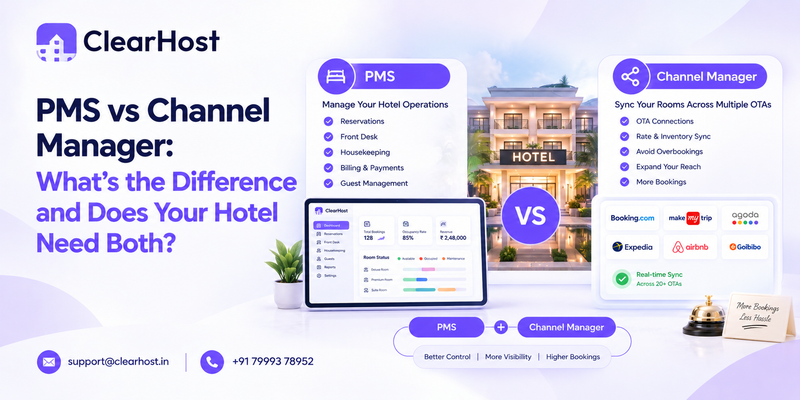
A channel manager handles distribution, while a PMS runs check-ins, housekeeping, billing, and guest records. Hotels that sell on several OTAs usually need both, which is why ClearHost combines them. If you are comparing tools, see our guide to the best hotel PMS systems in India.
Run MakeMyTrip, Booking.com and Agoda from one screen
Getting listed takes a few days. Keeping three calendars and three sets of rates accurate takes effort every day after that. If you are live on MakeMyTrip, Booking.com, or Agoda, or are about to be, book a 20-minute ClearHost demo and see your own rooms mapped across the channels you sell on.
Prefer to try it yourself? Start a 30-day free trial. No credit card is required.